Introducing DankCalendar
· 7 min read

DankCalendar
0.1 · First Release
DankCalendar is a solution for calendar management on Linux that unifies Local, Google, Microsoft, CalDAV, and iCloud calendars into a single agenda. It features background synchronization, native event reminders, secure credential storage, a comprehensive GUI, keyboard-driven navigation, and a scriptable IPC interface. Now available on Arch Linux via the AUR, coming soon to the rest of the Dank Linux repositories.
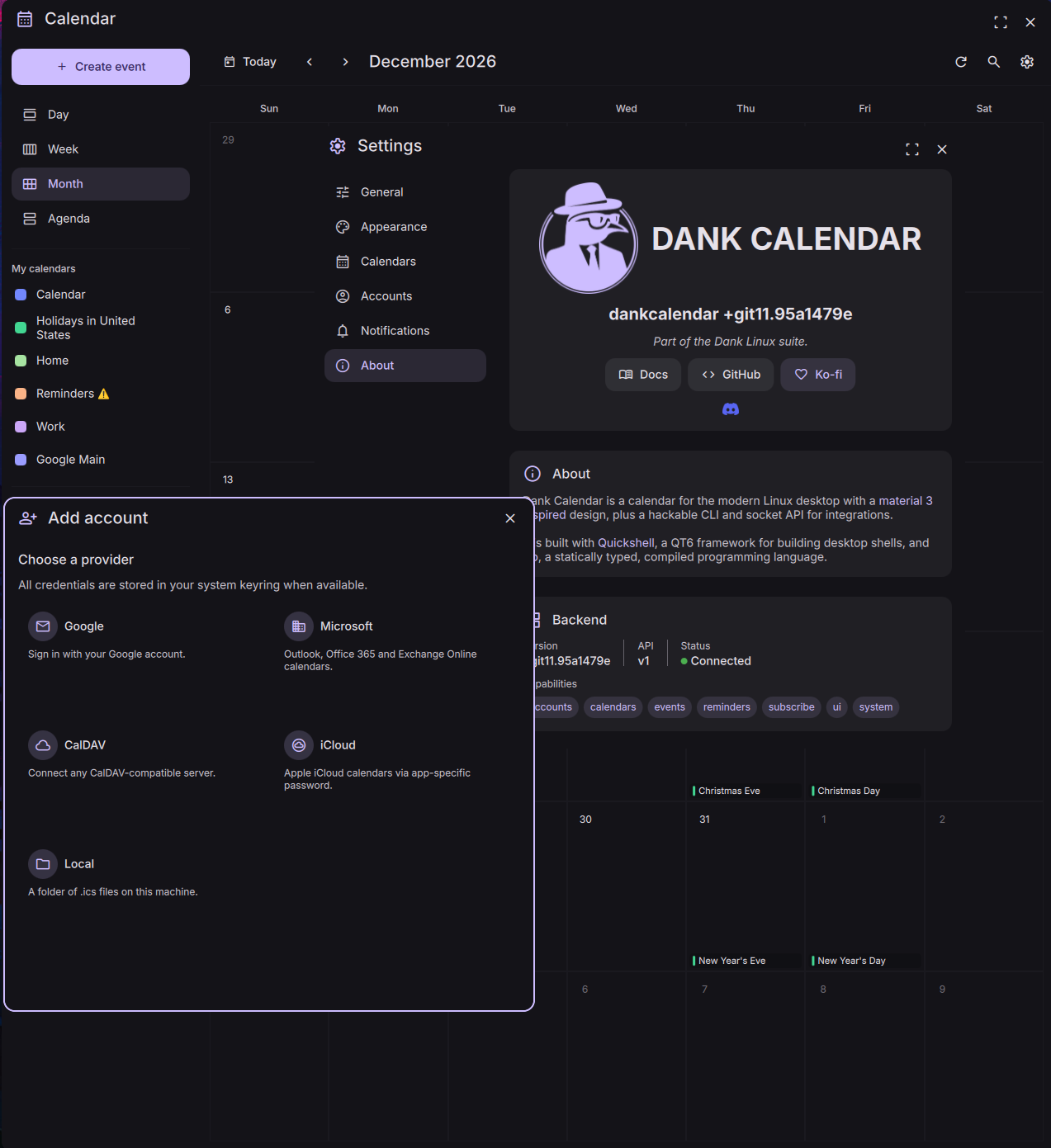
Connect Local, Google, Microsoft, CalDAV, and iCloud accounts and see them all in a single unified agenda.
A lightweight daemon keeps accounts in sync and serves notifications.
Native desktop notifications for upcoming events, configurable per-event and per-calendar.
OAuth tokens and account secrets are stored in your system keyring, not in plaintext config files.
Full keyboard-driven navigation with a shortcuts overlay and spotlight-style event search.
A full IPC surface for compositor keybinds and automation. Toggle, query events, and more from scripts.
DMS 1.5 detects a running dcal daemon and uses it as a calendar backend over IPC, with no extra setup.
If dcal isn't running, DMS falls back to khal, so nothing breaks.
There's no DankLinux server involved. dcal talks to Google, Microsoft, your CalDAV or iCloud host, or your local .ics files directly, so your events and tokens never leave your machine. For Google and Microsoft you create your own OAuth app, so the whole connection is yours.
dcal falls back to an encrypted on-disk store.~/.local/share/dankcal/, following the XDG base directory spec. Everything works offline, and sync catches up when you're back online.$XDG_RUNTIME_DIR, scoped to your login session. It's not a network port.Install on Arch from the AUR:
# Prebuilt binary
yay -S dankcalendar-bin

# Or build from latest git
yay -S dankcalendar-git
On Fedora, Debian, Ubuntu, and OpenSUSE, install dankcalendar-git from the DankLinux repository (COPR, OBS, or PPA depending on your distro). See the installation guide for repository setup commands.
You can connect accounts from the GUI or the CLI.
dcal run                  # Launch DankCalendar
dcal account add google   # or microsoft, caldav, icloud, local
DankCalendar runs as a daemon, so closing the window only hides it and sync and reminders keep running in the tray - you can change the close behavior in settings. Enable Start at login from Settings, or install the systemd user service.
See the DankCalendar documentation for full installation, account setup, and IPC reference.
It fits the Dank philosophy of focused tools (dgop, dsearch) that do one thing well and integrate together, without unnecessary dependencies or assumptions about your setup. The calendar is a core part of the user experience, so it deserves a first-party solution that works well with the shell and with your existing accounts.
khal and vdirsyncer are scriptable and lightweight, but they're two tools you wire together yourself. You write a vdirsyncer config, set up OAuth tokens by hand, run sync on a cron, then point khal at the output. It's not a user-friendly or comprehensive solution.
Evolution and Evolution Data Server are powerful, but they're tied to the GNOME desktop and incredibly difficult to build on or integrate with. The calendar is just one part of a huge suite of apps sharing the EDS backend.
ECalClient instead of calling something simple.DankCalendar keeps the good part of that idea, one synced backend that lots of things can read, but makes it pleasant to use and to build on: sign-in style account setup, a local cache that works offline, a documented IPC API (dcal ipc events.list, events.create, and so on) with JSON output, and a daemon-plus-frontends design that behaves the same on any compositor.
Read the DankCalendar docs →
Join the community
DankCalendar is brand new, so feedback and bug reports go a long way. Come hang out in the #dms channels on the niri Discord, or open an issue on GitHub. Providers, widgets, and translations are all welcome.