DMS 1.2 "Spicy Miso" Released
· 26 min read

DMS 1.2
Spicy Miso
We're excited to announce DankMaterialShell (DMS) 1.2 "Spicy Miso"! This release features numerous new features and major improvements to both the DMS core and plugin system.
DMS 1.2 introduces Desktop Widgets - small applets that live on your desktop, below windows and above your wallpaper. Position, resize, and configure them per-display.
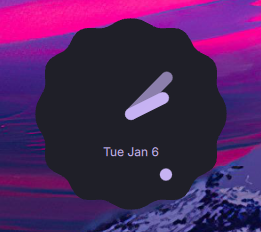
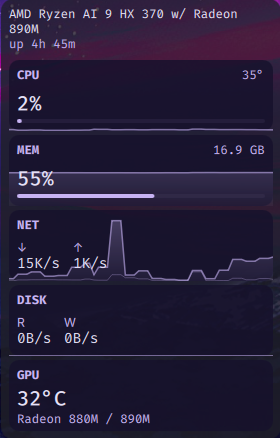
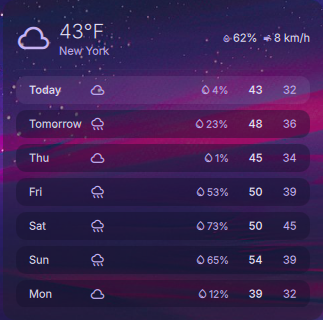
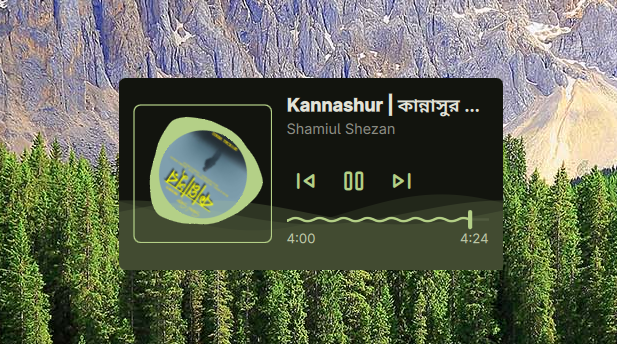
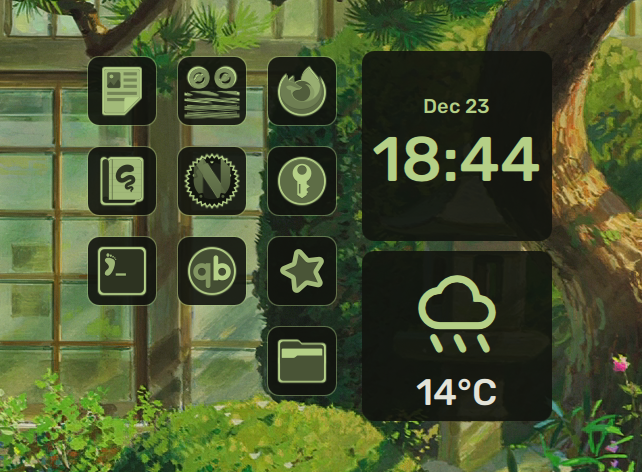
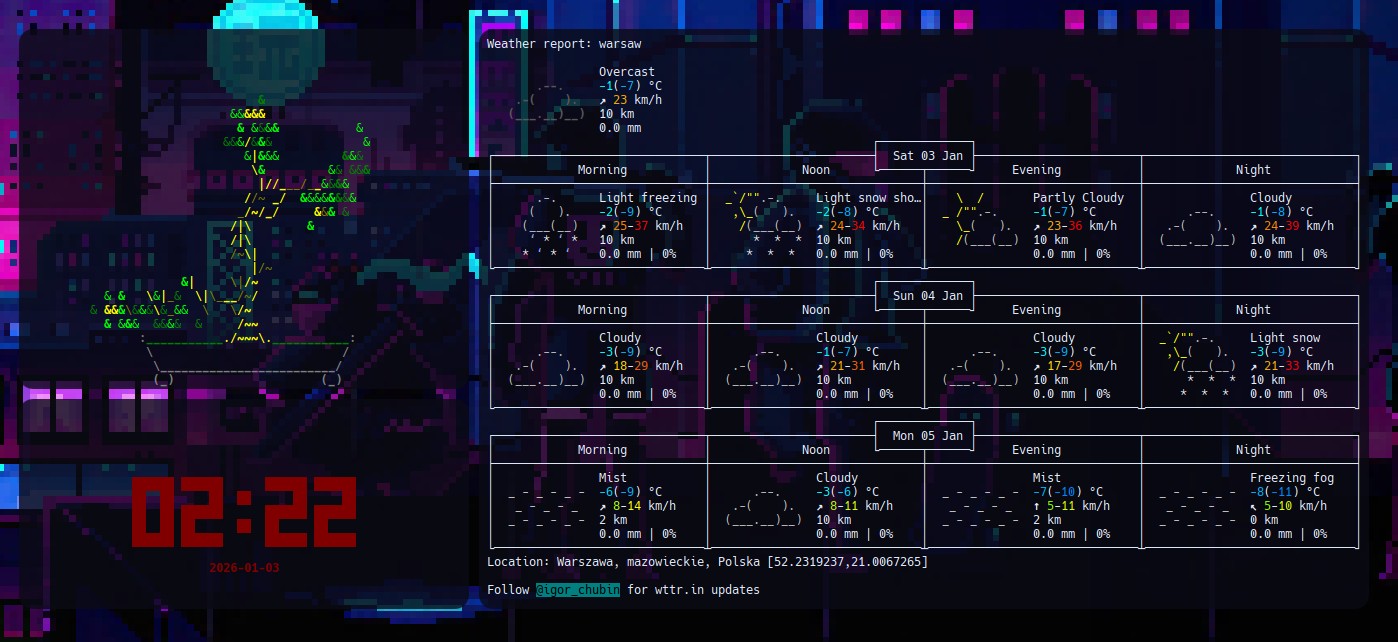
The plugin system makes building your own widgets straightforward - see the plugin development guide to get started.
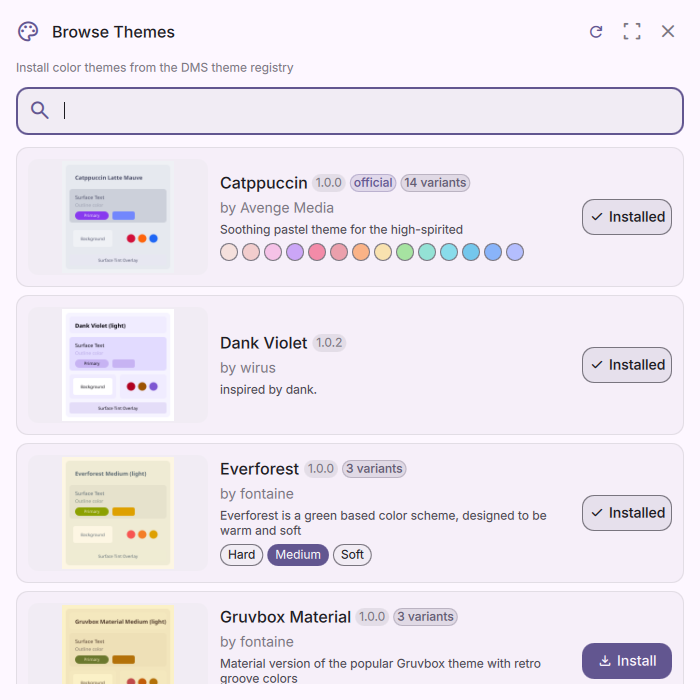
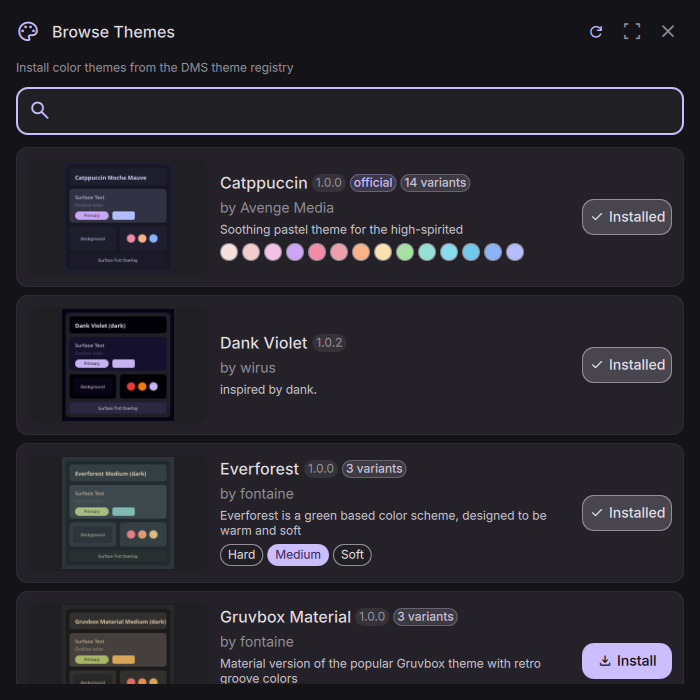
DMS 1.2 introduces a theme system where a single theme can have multiple variants and accent colors. The plugin registry now includes a Theme Registry with community-developed themes available for easy installation. Learn how to contribute your own themes.
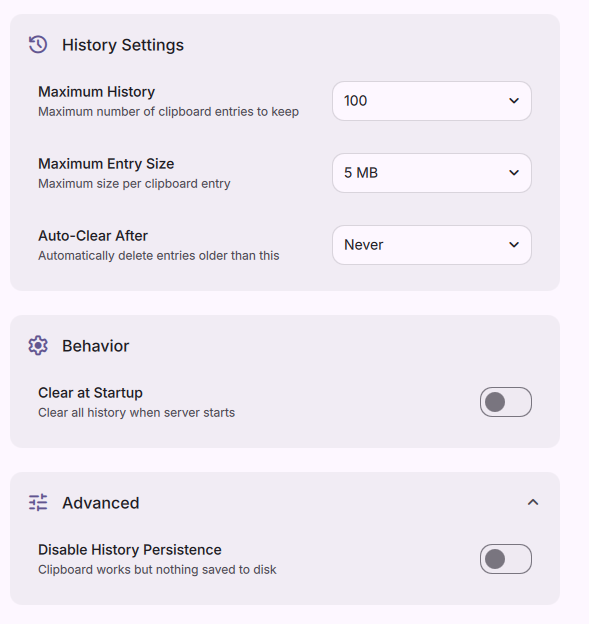
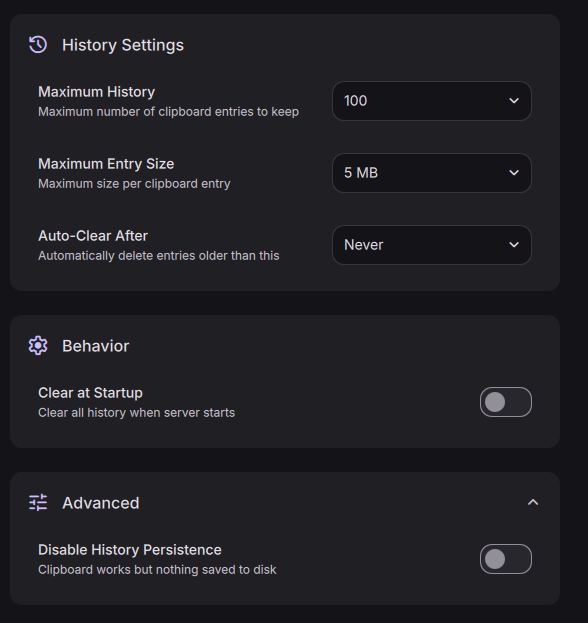
Full, zero-dependency clipboard and clipboard history integration.
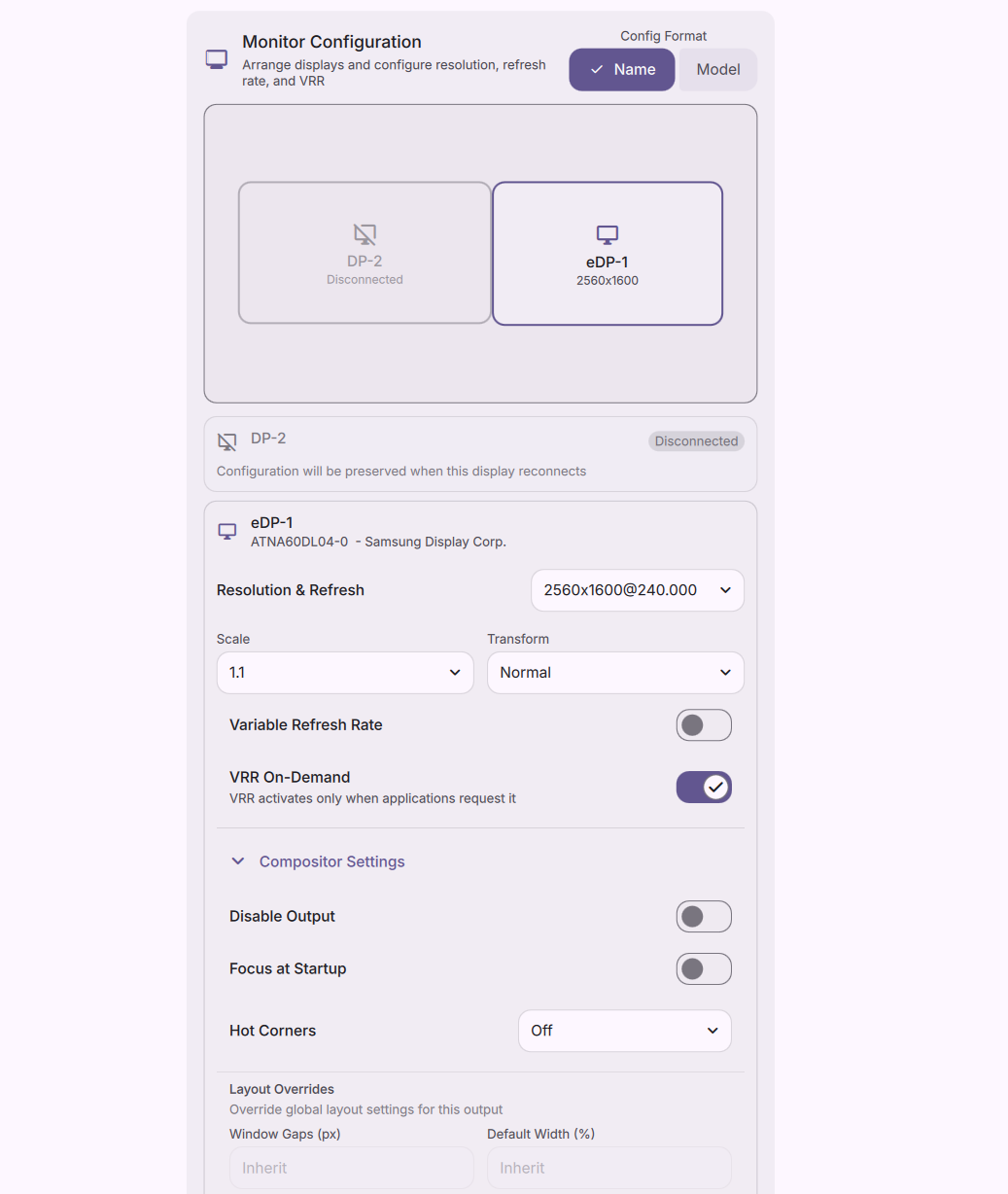
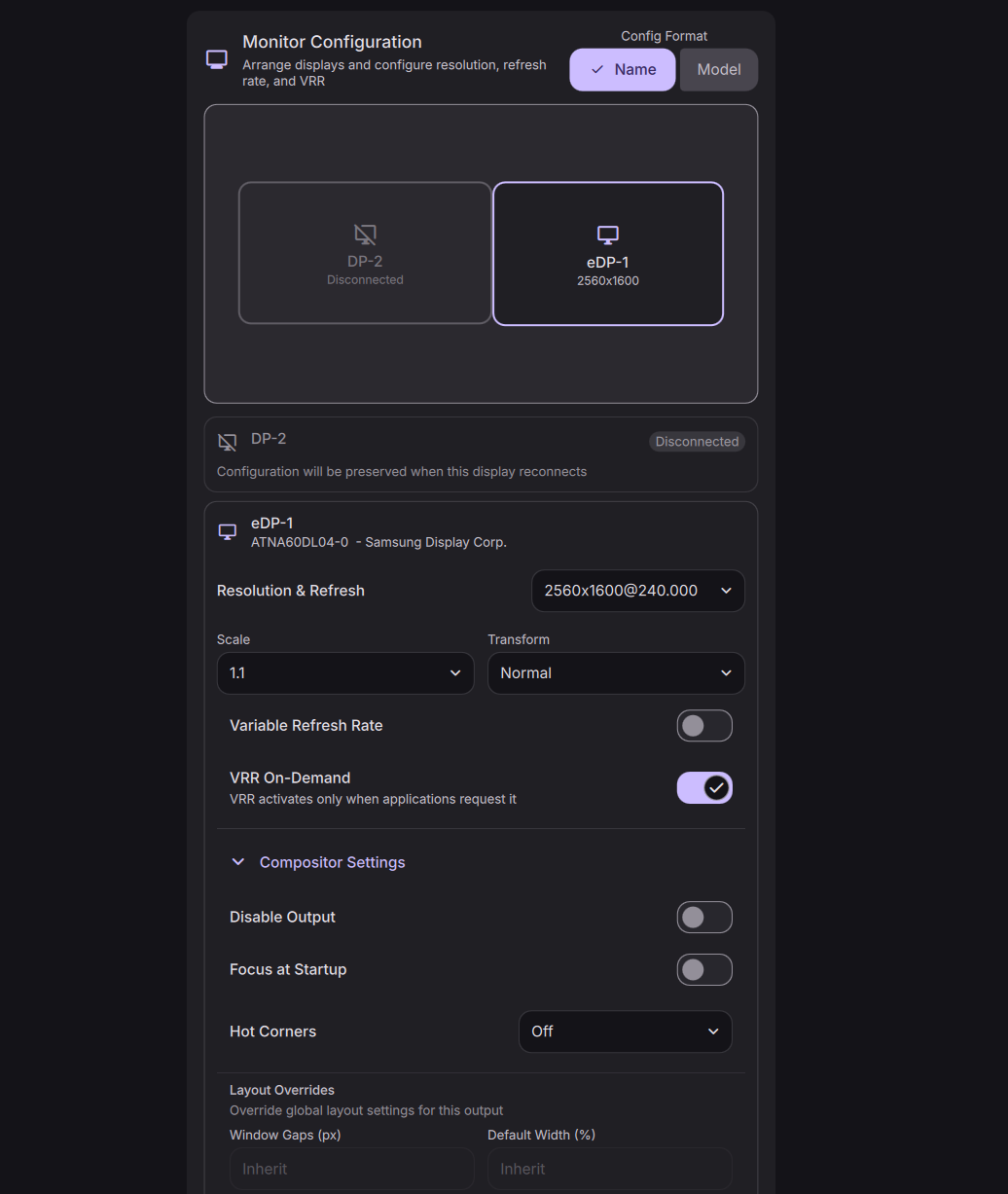
Configure display settings directly from DMS Settings. Available for niri, Hyprland, and MangoWC. Includes positioning, resolution, refresh rate, VRR, full layout customization (niri), HDR (Hyprland), scaling, mirroring (Hyprland), and more.
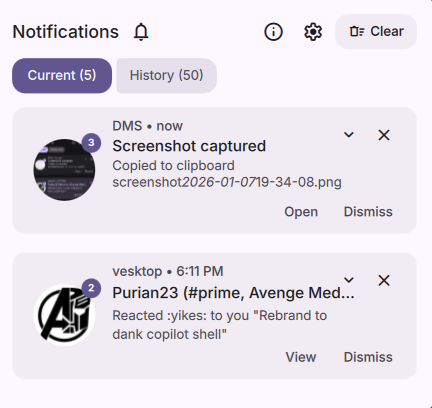
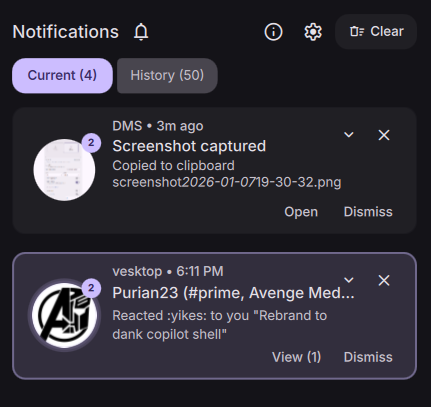
Notifications get several new features and improvements:
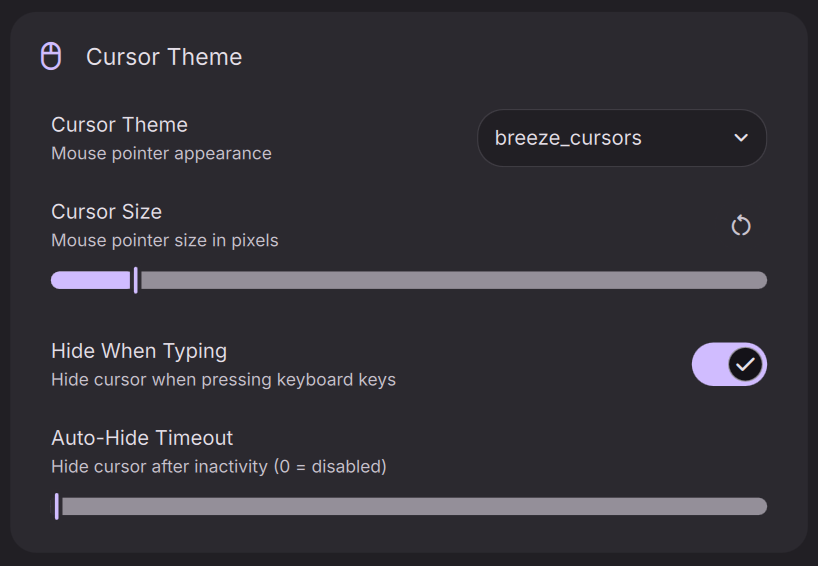
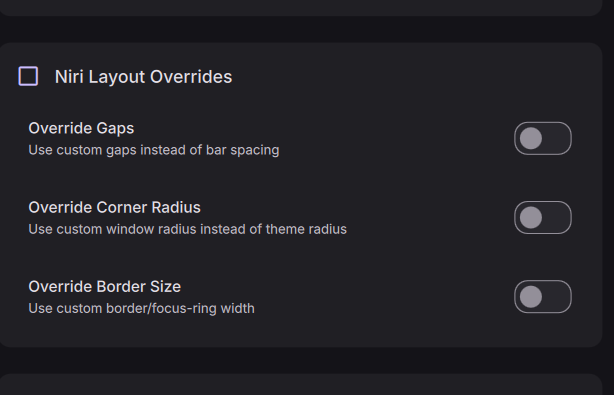
Customize your compositor settings directly from DMS Settings. Available for niri, Hyprland, and MangoWC:
Cursor settings are automatically applied to XWayland applications via XResources, ensuring consistent appearance across native Wayland and XWayland apps.
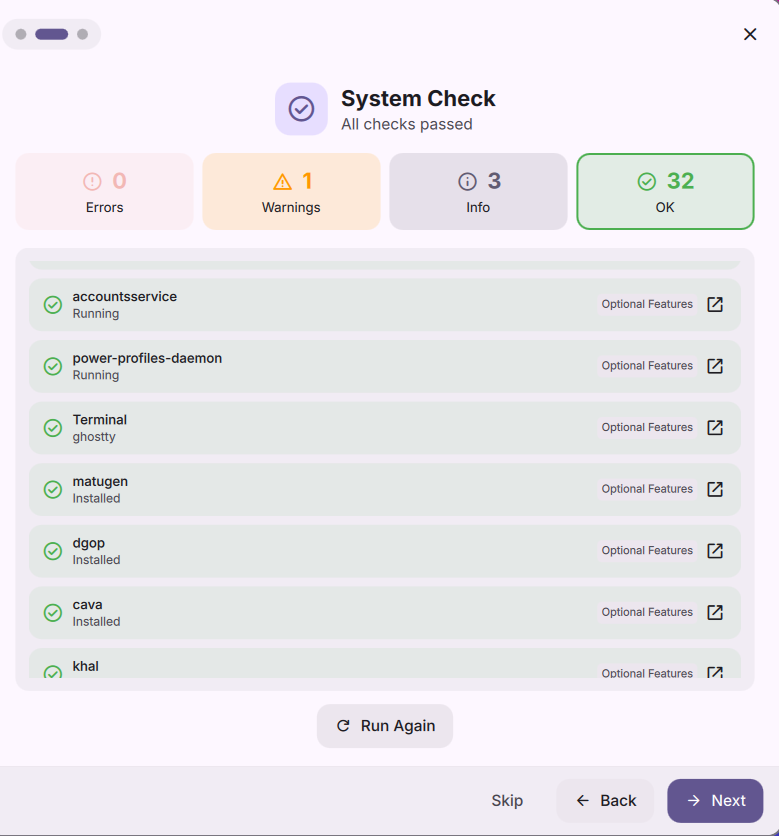
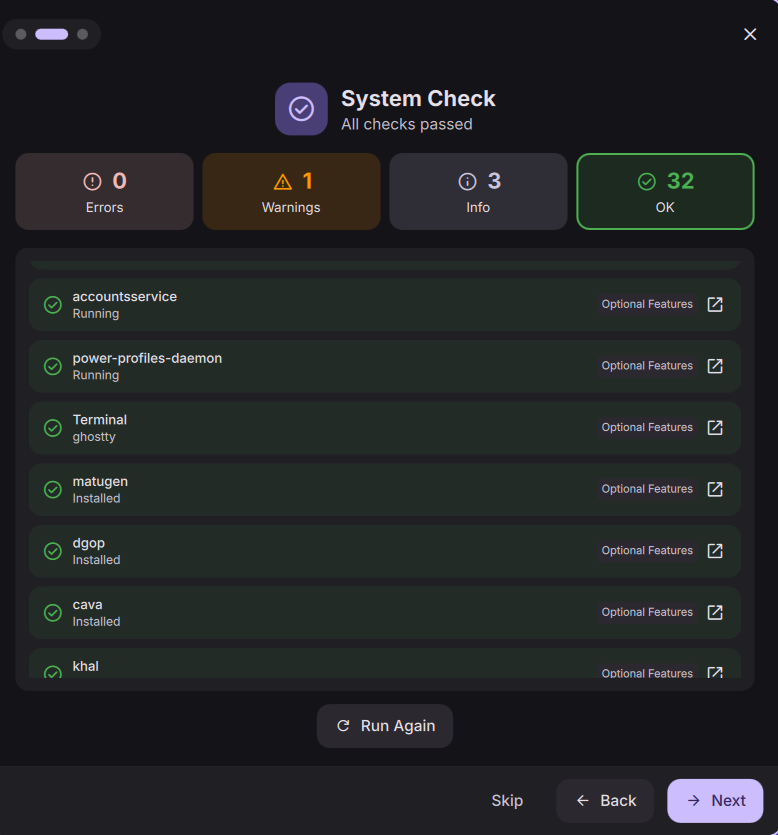
New dms doctor command for diagnosing configuration issues and conflicts that may negatively affect DMS feature availability or performance. Also available via DMS GUI.
Shout out to @LuckShiba for the contribution!
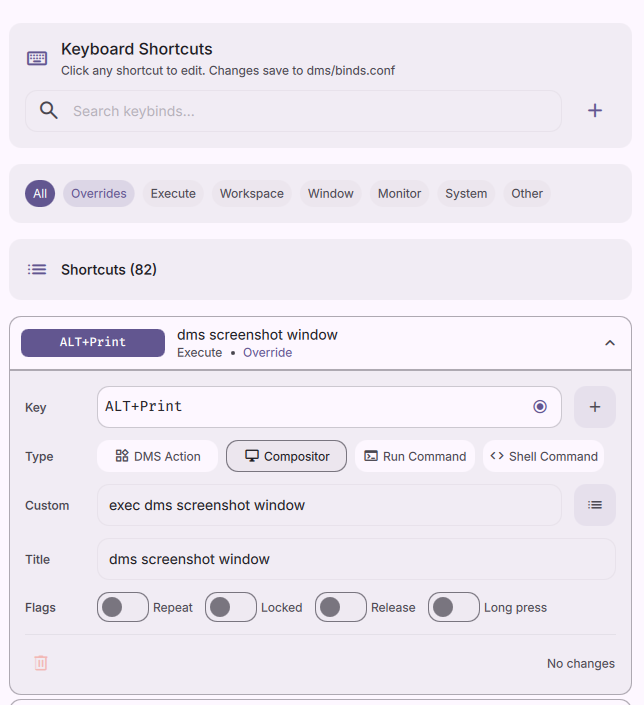
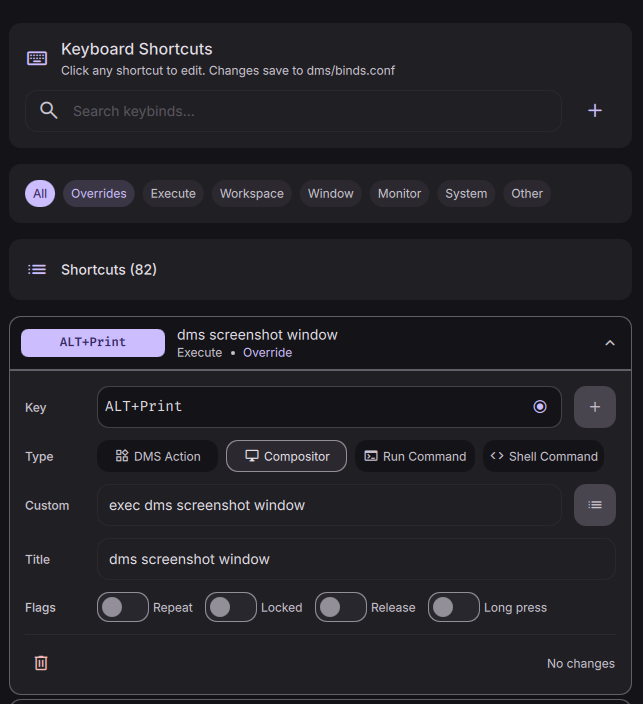
The world famous DMS keyboard shortcuts tool is now available for niri, Hyprland, and MangoWC. Search, edit, and add new keybinds directly from DMS Settings.
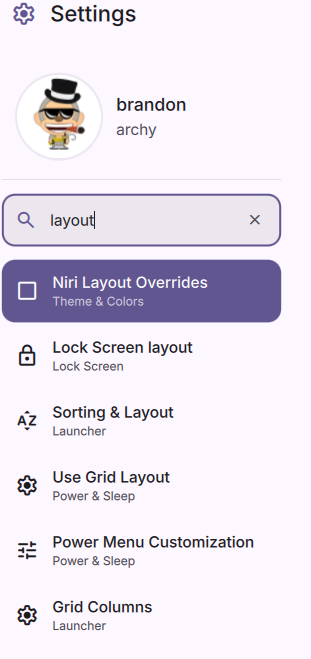
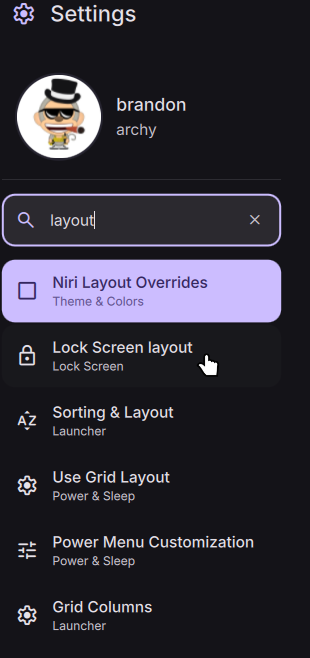
New settings search makes it easier to find what you want to change. Includes integrated launcher search with ? by default.
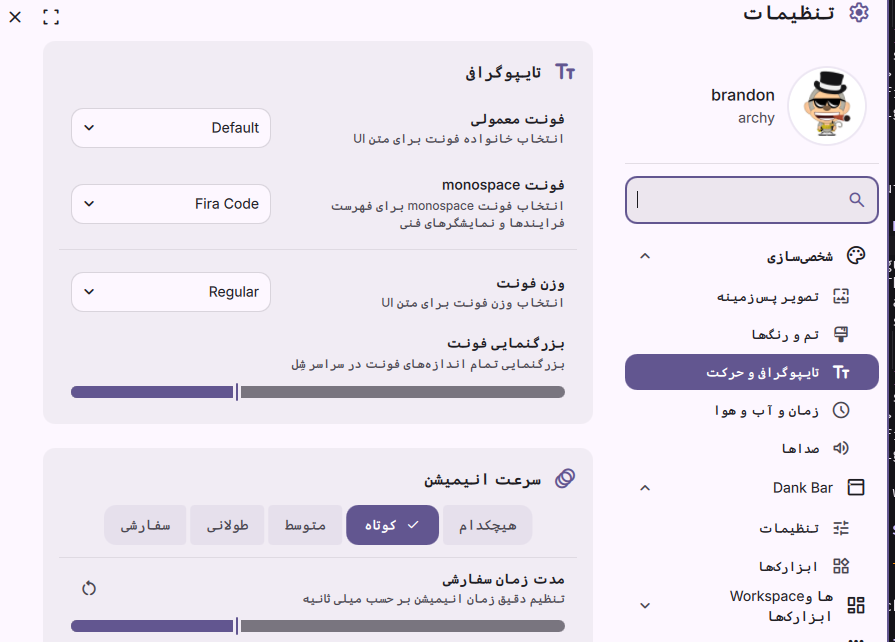
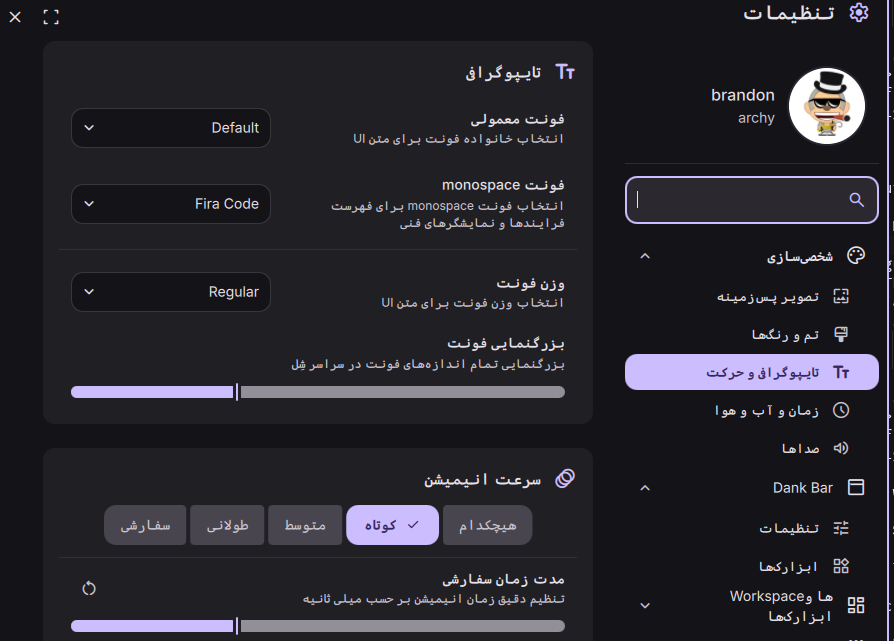
DMS 1.2 introduces proper support for right-to-left languages with proper layout mirroring across components. DMS currently has translations for Hebrew and Farsi.
To contribute to translations see the pinned github issue
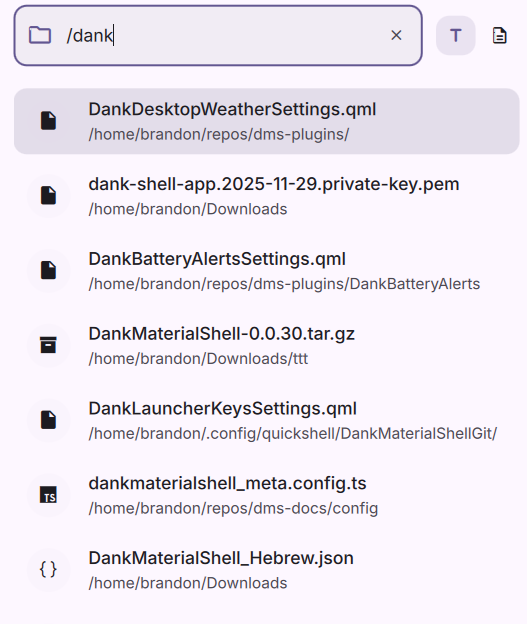
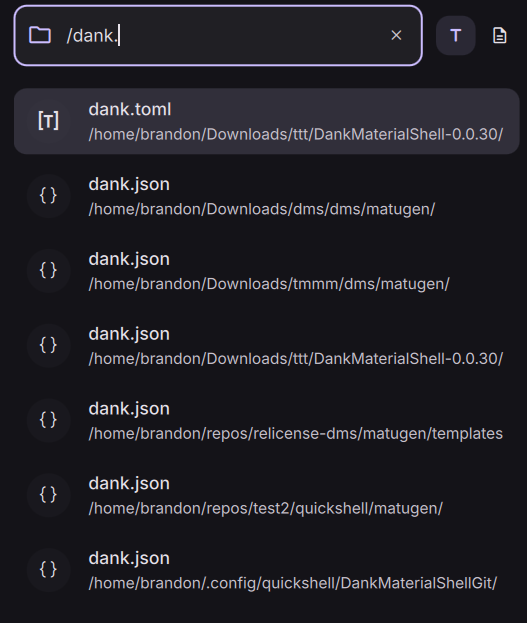
The DMS launcher has undergone several improvements. Performance improvements, support for plugins to define context menus (with full keyboard navigation), built-in settings search, and a new first-party plugin for searching keybinds (niri, Hyprland, MangoWC, Sway, and custom providers via dms keybinds).
DMS' launcher with plugins supports calculator, niri window management, CLI commands with history, emoji and gitmoji search, web search, extremely fast indexed filesystem search, and more. It also work on the niri overview without any triggers needed.





DMS 1.2 expands distribution support with official packages now available for:
These are in addition to existing packages for Debian, Ubuntu, Fedora, Arch Linux, and NixOS.
Packages include DMS, niri, quickshell, dgop, dsearch, and other core dependencies. See the installation guide for setup instructions.
This release contains changes that may require manual intervention.
Ghostty and VSCode theming have changed and will stop working without manual intervention.
Ghostty
The theme path has changed to ~/.config/ghostty/themes/danktheme. Update your Ghostty configuration:
# ~/.config/ghostty/config
# Add this
theme = dankcolors

# ! Remove this
# config-file = ./config-dankcolors
VS Code / Codium
The theme extension needs to be reinstalled due to internal changes:
Steps are recommended to remove existing clipboard history daemon and migrate existing history to the new DMS clipboard system.
1. Cleanup old clipboard history integration:
Remove the wl-paste --watch cliphist store daemon/startup from your compositor configuration.
// ~/.config/niri/config.kdl
spawn-at-startup "wl-paste --watch cliphist store" // REMOVE THIS LINE
# ~/.config/hypr/hyprland.conf
exec-once = wl-paste --watch cliphist store # REMOVE THIS LINE
2. Configure DMS clipboard settings (optional):
Before migrating, you may want to configure your retention settings in DMS Settings -> System -> Clipboard. You can configure maximum entry size, total entries, and retention durations. Only required if you want to override the defaults.
3. Migrate clipboard history from cliphist to DMS:
Clipboard history will not be automatically migrated from previous versions. You can still access it with the cliphist CLI. New clipboard history located in ~/.cache/DankMaterialShell/clipboard/db - this is a bbolt database.
To migrate old history:
# First stop DMS
systemctl --user stop dms # Or dms kill, if not using systemd
# Run migration (optionally override path with cliphist-migrate /path/to/db)
dms cl cliphist-migrate
# Start DMS again
systemctl --user start dms # or dms run -d, if not using systemd
You can then uninstall cliphist and remove the old database at ~/.cache/cliphist/db
wl-clipboard can also be removed, although it's useful to keep for plugins or scripts that depend on it.
# DMS clipboard CLI has feature-parity with wl-clipboard
# To copy text:
echo "Hello, World!" | dms cl copy
# To paste text:
dms cl paste
For niri or Hyprland you can run dms setup to generate a new compositor configuration - monitor configuration will be preserved and original configuration will be backed up. The main change is migrating to a more modular configuration.
Changes are required only if you wish to use the new cursor, output, layout, and keybind controls from DMS Settings.
Required to use GUI cursor and output settings.
mkdir -p ~/.config/niri/dms
touch ~/.config/niri/dms/cursor.kdl
touch ~/.config/niri/dms/outputs.kdl
// ~/.config/niri/dms/cursor.kdl
// Move cursor {} block from config.kdl
cursor {
    xcursor-theme "Bibata-Original-Ice"
    xcursor-size 24
}

// ~/.config/niri/dms/outputs.kdl
// Move output {} blocks from config.kdl
output "DP-1" {
    position 0 0
    scale 1.0
    transform normal
}
// ~/.config/niri/config.kdl
// Recommended to place at the end of the file
include "dms/cursor.kdl"
include "dms/outputs.kdl"
include "dms/layout.kdl"
Required to use GUI cursor, output, layout, and keybind settings.
mkdir -p ~/.config/hypr/dms
touch ~/.config/hypr/dms/cursor.conf
touch ~/.config/hypr/dms/outputs.conf
touch ~/.config/hypr/dms/layout.conf
touch ~/.config/hypr/dms/binds.conf
# ~/.config/hypr/dms/cursor.conf
# Move cursor settings from hyprland.conf
env = HYPRCURSOR_THEME,Bibata-Original-Ice
env = HYPRCURSOR_SIZE,24
env = XCURSOR_THEME,Bibata-Original-Ice
env = XCURSOR_SIZE,24

# ~/.config/hypr/dms/outputs.conf
# Move monitor lines from hyprland.conf
monitor = DP-1,2560x1440@144,0x0,1

# ~/.config/hypr/dms/layout.conf
# Move general layout settings from hyprland.conf
general {
    gaps_in = 5
    gaps_out = 10
    border_size = 2
}

# ! Binds do not need to be moved, only edited/new binds via GUI will be stored here
# ~/.config/hypr/hyprland.conf
# Recommended to place at the end of the file
source = ./dms/cursor.conf
source = ./dms/outputs.conf
source = ./dms/layout.conf
source = ./dms/binds.conf
Required to use GUI cursor, output, layout, and keybind settings.
mkdir -p ~/.config/mangowc/dms
touch ~/.config/mangowc/dms/cursor.conf
touch ~/.config/mangowc/dms/outputs.conf
touch ~/.config/mangowc/dms/layout.conf
touch ~/.config/mangowc/dms/binds.conf
# ~/.config/mangowc/dms/cursor.conf
# Move cursor settings from mangowc.conf
cursor_size=24
cursor_theme=Bibata-Original-Ice

# ~/.config/mangowc/dms/outputs.conf
# Move output blocks from mangowc.conf
monitorrule=DP-2,0.55,1,tile,0,1,0,0,2560,1440,144
monitorrule=eDP-1,0.55,1,tile,0,1,2560,0,2560,1600,240

# ~/.config/mangowc/dms/layout.conf
# Move layout settings from mangowc.conf
border_radius=13
gappih=4
gappiv=4
gappoh=4
gappov=4
borderpx=2

# ~/.config/mangowc/dms/binds.conf
# Moving binds is not required, only edited/new binds via GUI will be stored here
# ~/.config/mangowc/mangowc.conf
# Recommended to place at the end of the file
source = ./dms/cursor.conf
source = ./dms/outputs.conf
source = ./dms/layout.conf
source = ./dms/binds.conf
DMS 1.2 brings significant improvements to NixOS integration and the flake-based installation experience:
Home Manager Module Enhancements
clipboardSettings option for declarative clipboard configurationdefault* settings options in favor of being able to set the actual settings fileNixOS Module Improvements
power-profiles-daemon and accounts-daemon by default for better power management and user account integrationdms-shell packageNiri Integration
Plugin Registry Flake
The DMS Flake options name was now changed from programs.dankMaterialShell to programs.dank-material-shell. The modules names also changed.
While the old module names will still work, you'll receive a deprecation warning informing about the new name.
The documentation for the nixpkgs module will get updated as soon as DMS 1.2 gets into nixos-unstable.
Please check the documentation for more information in how to configure DMS 1.2 with the new features.
Since the v1.0 release, DMS has received extensive bug fixes and stability improvements across all components:
Clipboard
Bar & Dock
Desktop Widgets & Plugins
Display & Monitor Configuration
Notifications
Themes & Matugen
Cursor & Layout
Launcher
Settings
Network & VPN
Keyboard & Input
Lock Screen & Power
Audio & Media
i18n & RTL
niri
Hyprland
Core & Backend
Greeter
Wallpaper
Build & Distribution
Miscellaneous
Get Started with DMS →
 Special thanks to YaLTeR for collaborating with the DMS team, for niri - the compositor that inspired DMS, and for hosting DMS on the niri Discord.
Thank You
To everyone who has supported DMS through feedback, contributions, sponsorships, donations, and packaging.
Zan, Zendegi, Azadi