DMS 1.4 "Saffron Bloom" Released

DMS 1.4
Saffron Bloom
We're excited to announce DankMaterialShell (DMS) 1.4 "Saffron Bloom"! This release introduces a brand new launcher, numerous improvements to the plugin system which enables GIFs, KDE Connect, Clight, and a lot of new possibilities for extending DMS features and capabilities.
Dank Launcher V2
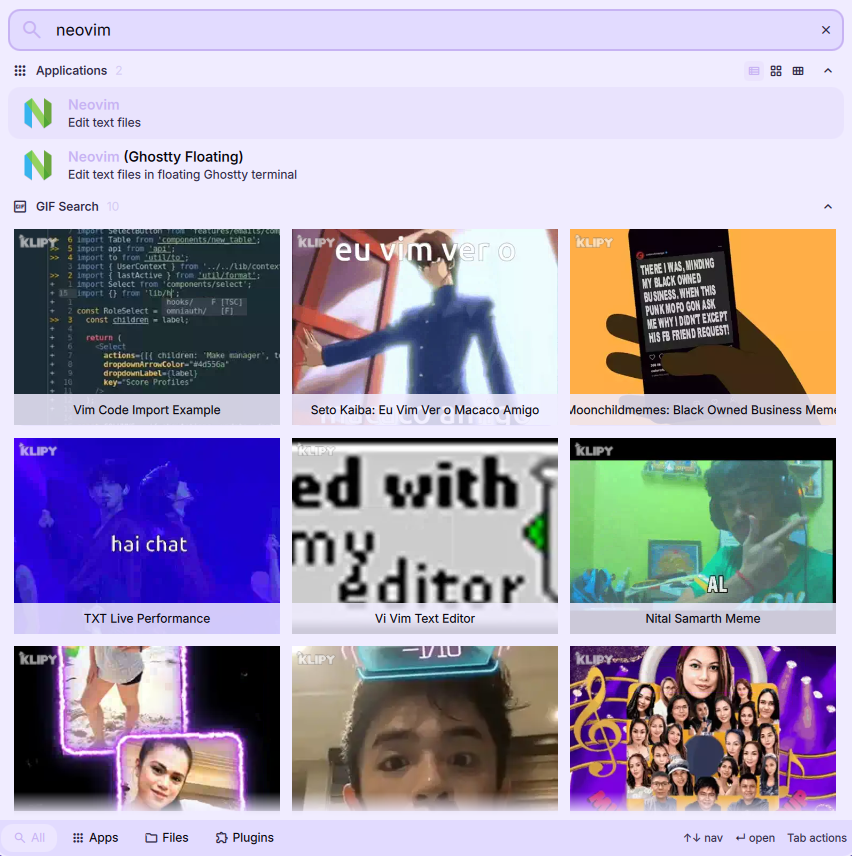
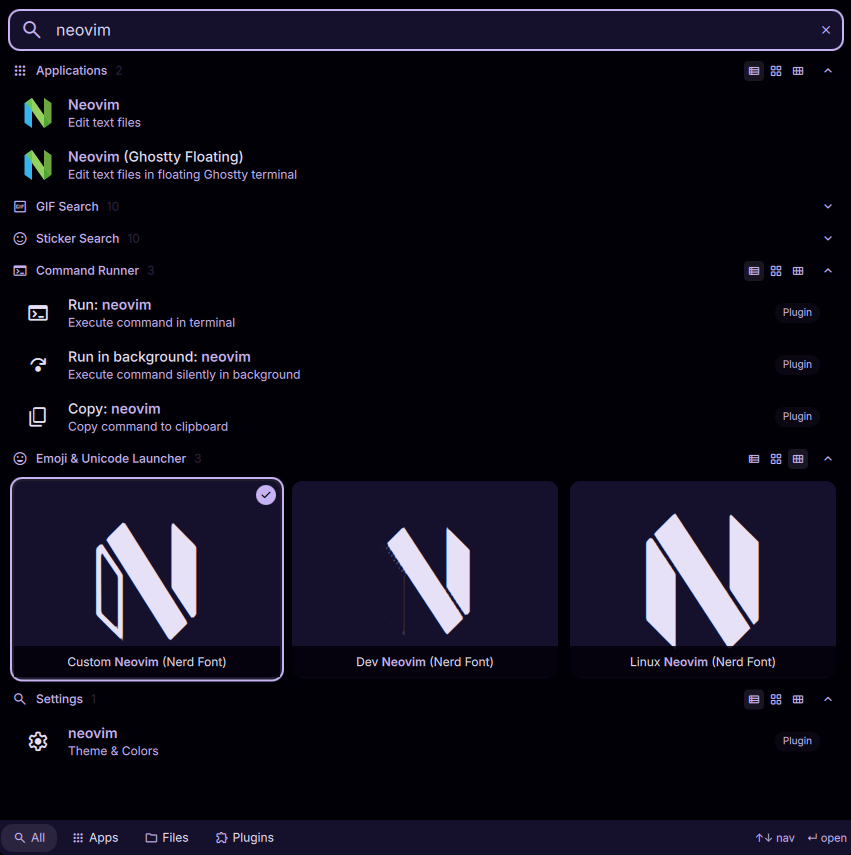
DMS 1.4 introduces a new vicinae-inspired launcher, with many more options, tighter extension integrations, better performance, configurable tab-actions, new tiled layout option, and numerous new first-party plugins including GIF and Sticker searchs.
- Plugins can define context menu and custom tab actions, shift+enter action (such as paste-and-close), and new types of results such as animated images.
- New tiled layout option for the launcher.
- New first-party plugins including GIF and Sticker search.
- Hide or show any extension from "all" tab, change priority-order, keep custom triggers, and configure more launcher options in DMS settings.
- Edit launch options, environment, or hide entries inline from the launcher.
KDE Connect+Valent (Phone Connect), and Clight Integration
DMS v1.4 exposes a dbus client that enables plugins to interact with dbus services natively, which has enabled the development of KDE Connect+Valent and Clight plugins.
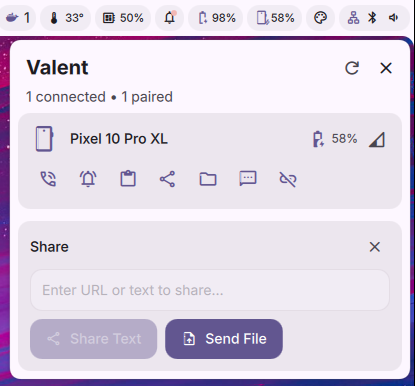
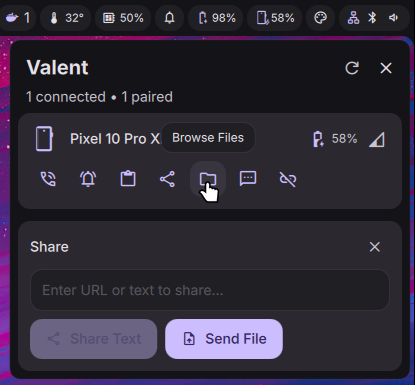
Phone Connect plugin allows you to connect to your phone via KDE Connect or Valent (gnome-based equivalent) directly from DMS. Receive notifications, send and receive files, synchronize clipboard, view phone battery percentage in the bar, and more.
Clight plugin gives integration with Clight which is an auto-brightness daemon.
The new dbus client allows creating an entirely new category of plugins that can interact with any dbus service, which opens up a huge range of possibilities for extensions that need to integrate with other applications and system services - in an efficient, event-driven way.
New Process List/System Monitor
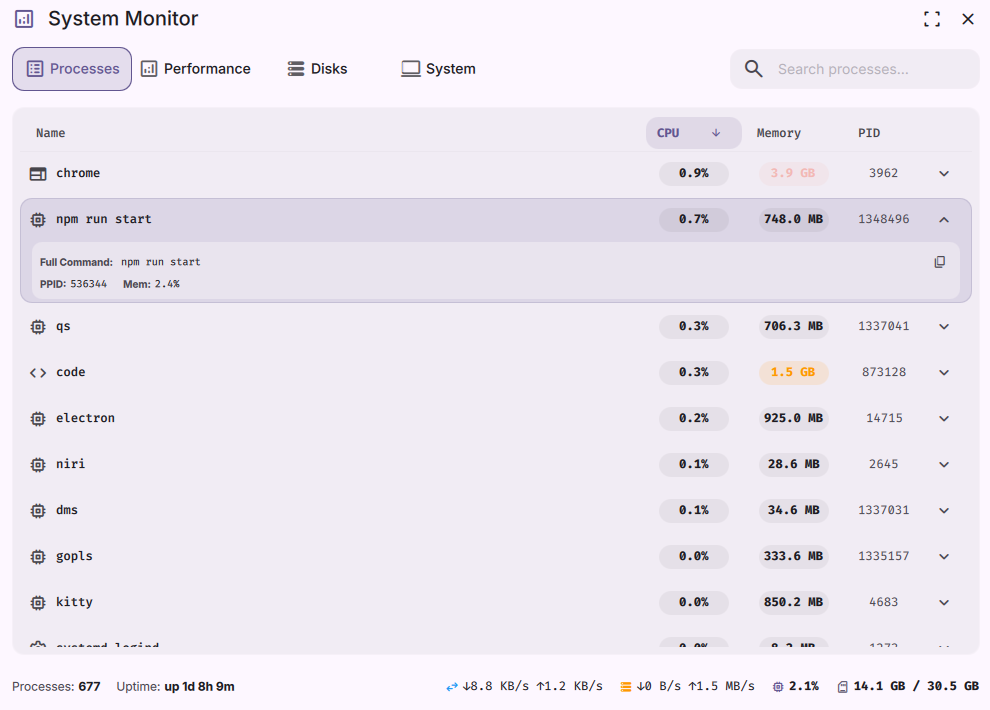
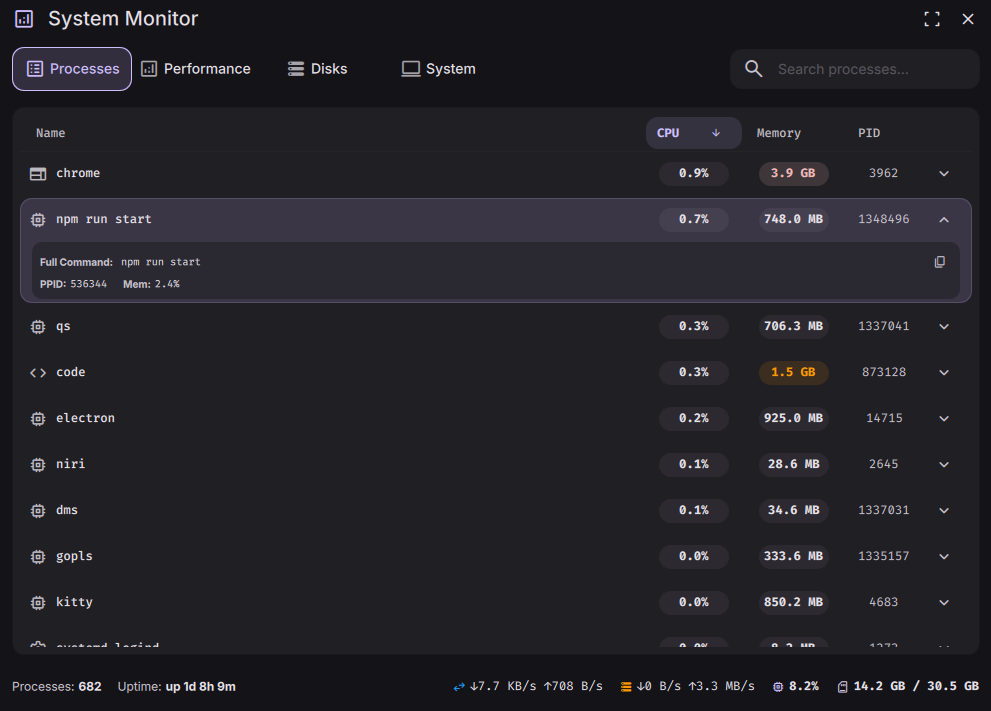
The dgop frontend/process monitor has gotten an overhaul with a new, more functional design. Integrated search, full command view, and more relevant information in a single view.
Window Rule Manager (niri-only)
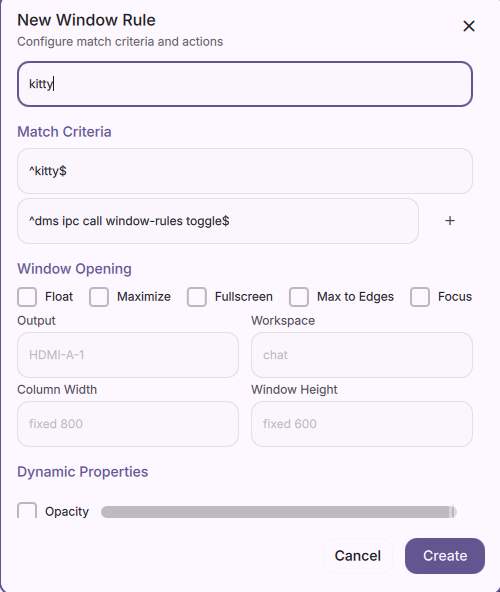
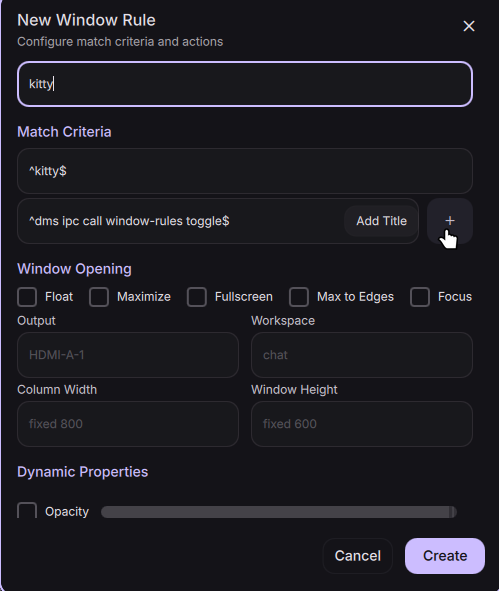
niri users can now manage window rules directly from DMS. An optional keybind can be used dms ipc call window-rules toggle to create a rule for the currently focused window. All rules can be re-ordered, edited, and managed from DMS settings.
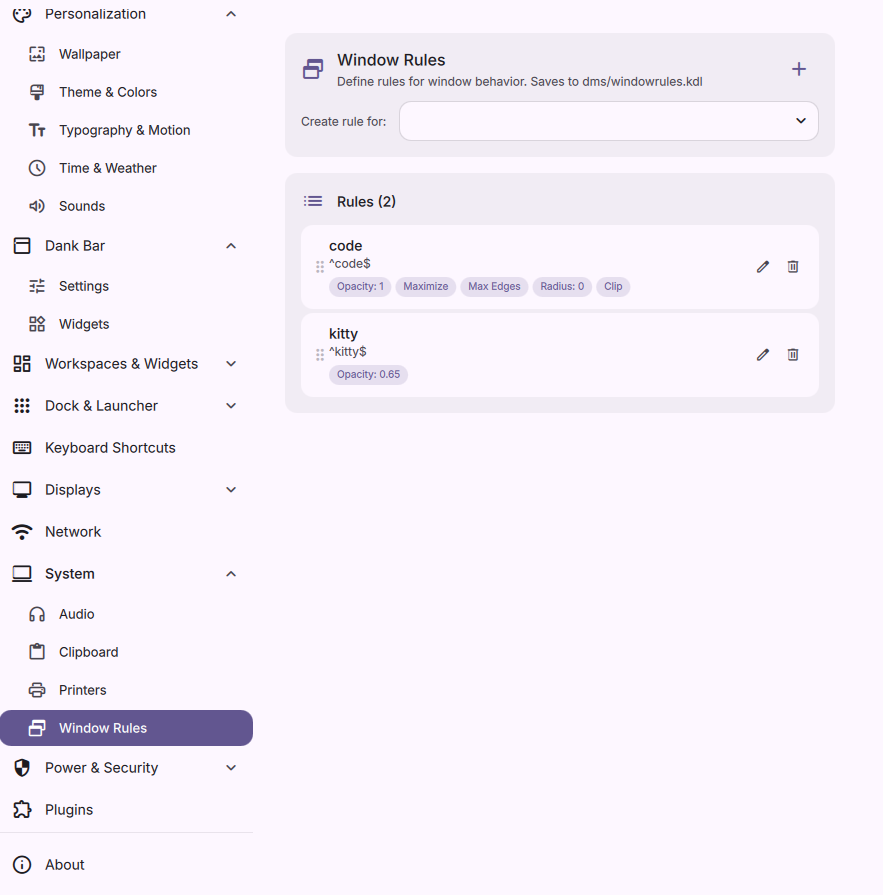
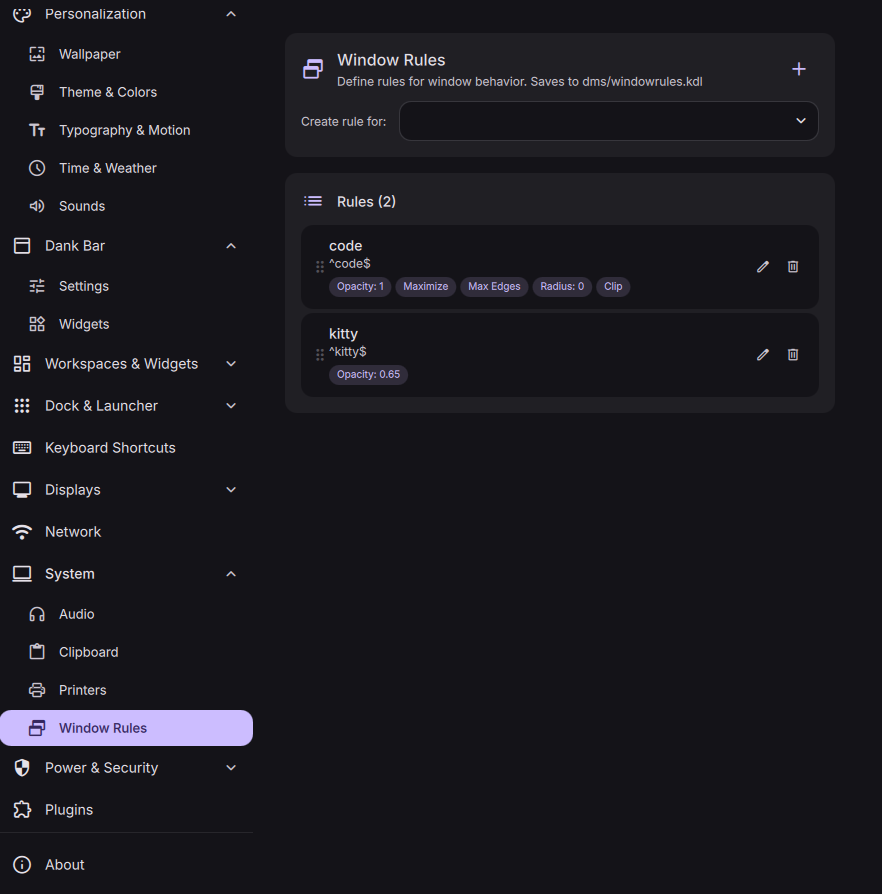
Dock Enhancements & Dank Bar Dock Widget
Intelligent Auto-Hide
The dock can now auto-hide itself only when floating windows overlap its area, and reveal when they don't. You get the screen space back when you need it without losing quick access.
Dank Bar Apps Dock Widget
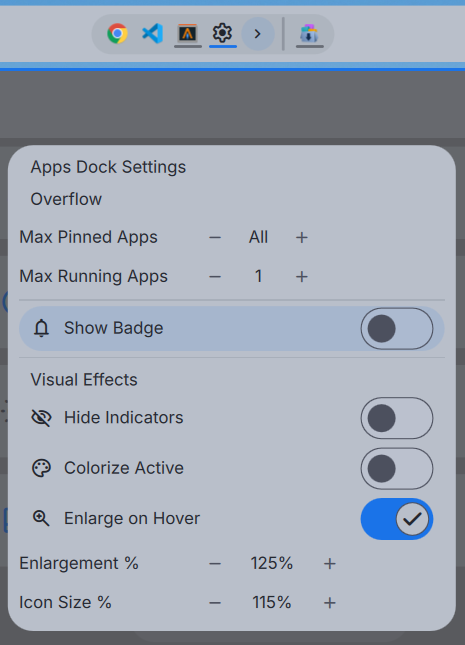
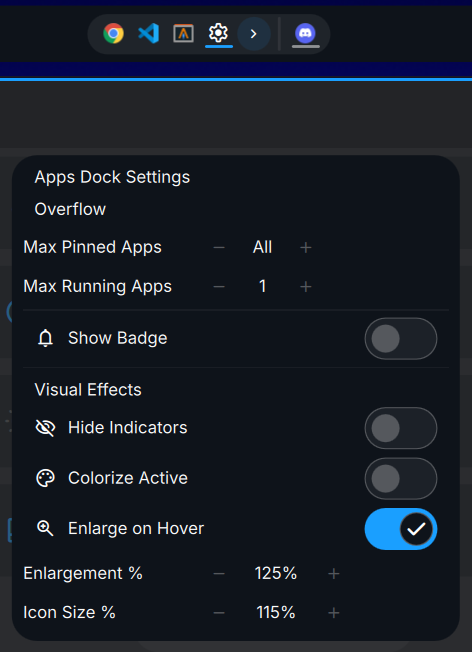
New Apps Dock widget for Dank Bar — a standalone dock embedded directly in the bar. If you prefer a panel-only workflow without the full dock, this gives you pinned and running apps right in your bar.
Max Pinned & Running Apps with Overflow
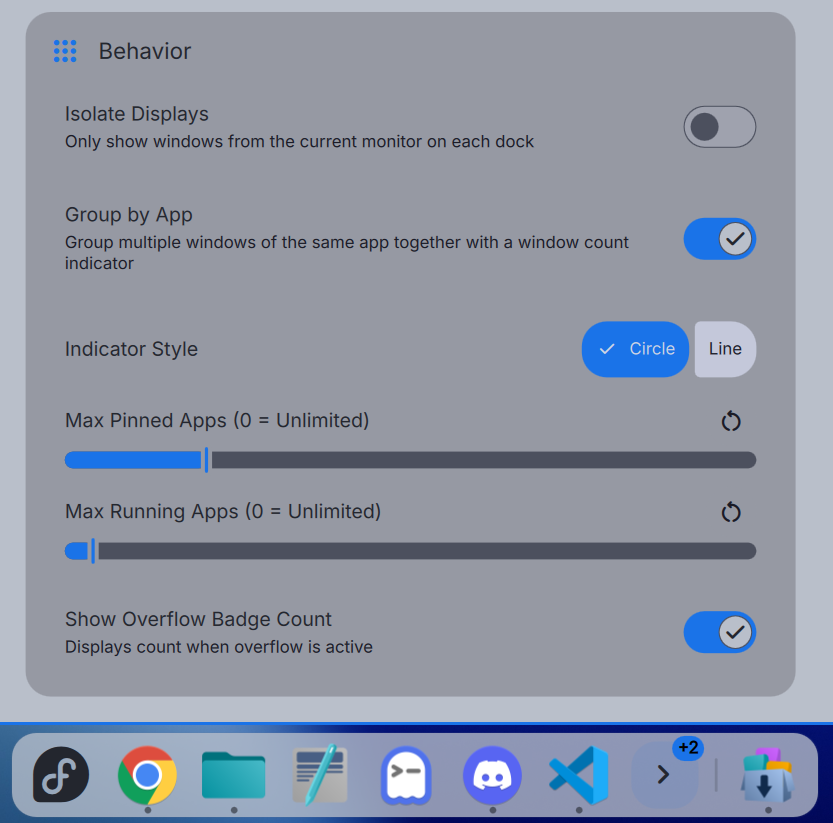
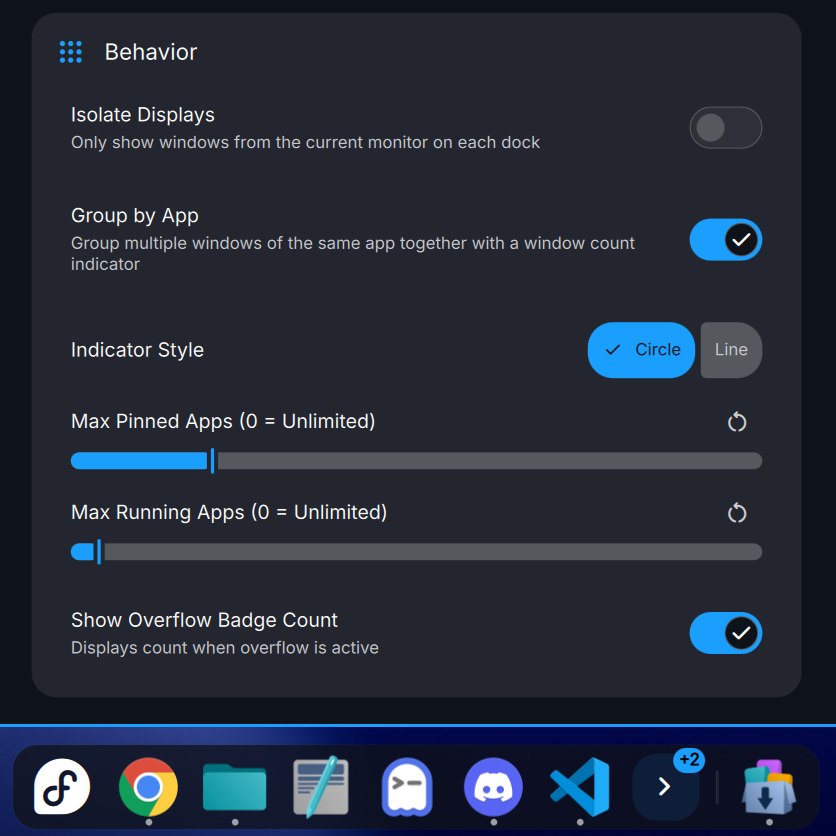
You can now set max counts for pinned and running apps separately. Anything beyond the limit collapses into an expandable overflow area with a badge count. Works on both the main dock and the new Apps Dock widget.
Audio Device Aliases
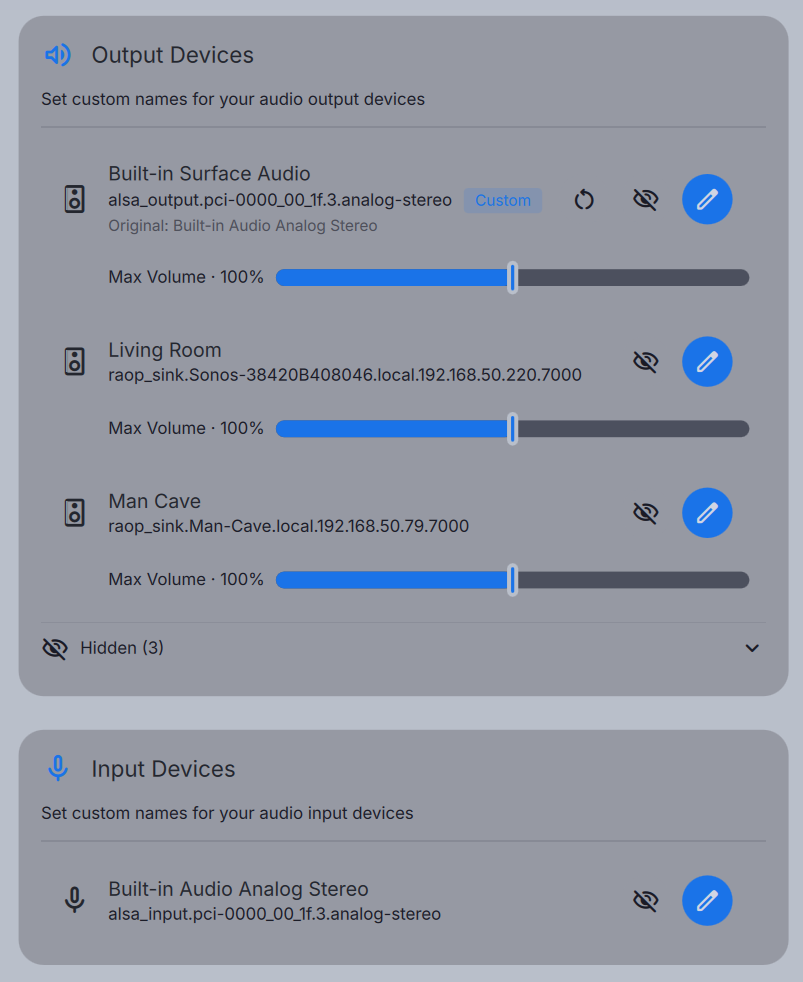
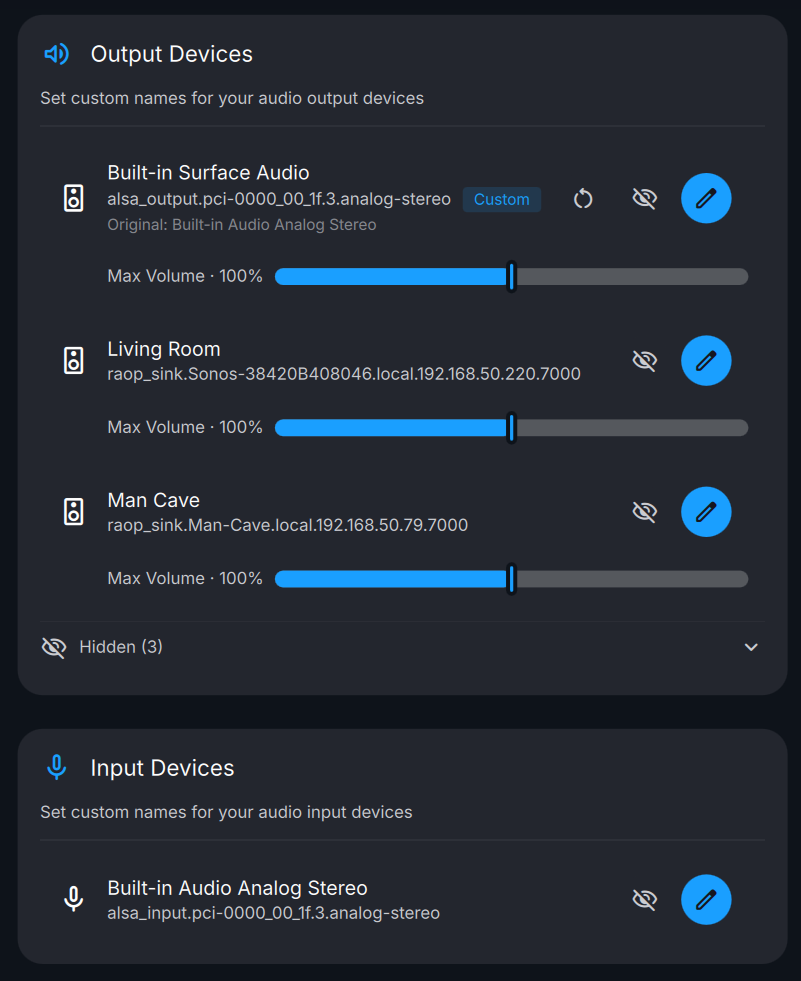
Built-in Audio Device Aliases powered by WirePlumber. Rename any input or output from Audio Settings, hide devices you never use, and if needed — push a device above 100% temporarily. Original names are kept so you can always revert.
- Rename devices: Give your devices actual useful names. Original hardware names are preserved.
- Hide devices: Get rid of unused or duplicate entries cluttering your lists.
- Amplify beyond 100%: Bump max volume when you need it. Note: excessive amplification may cause distortion or hardware issues, use with caution.
Automatic Light and Dark Mode
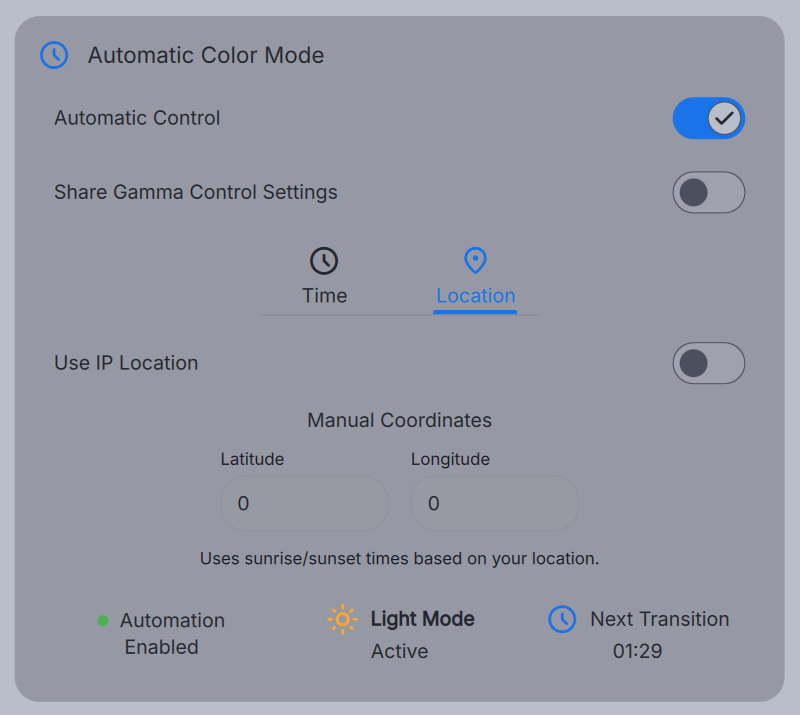
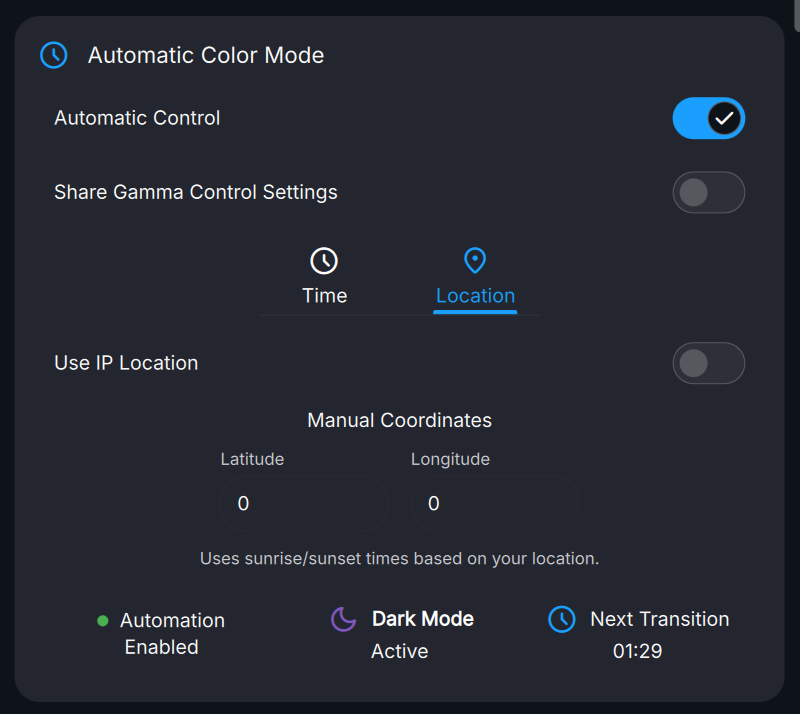
Your desktop theme can now switch between light and dark automatically. Set a simple time schedule, or let DMS figure it out from your location (manual coordinates or IP-based). Location mode shows a preview of when the next transition will happen.
- Time-based mode: Set sunrise/sunset or custom times.
- Location-based mode: Manual coordinates or IP geolocation to calculate local sunrise/sunset.
- Gamma Control sync: Tie it into DMS Gamma Control Night Mode so color temperature, brightness, and theme all switch together.
- Quick override: Force light or dark from the Appearance menu anytime; automatic rules kick back in after.
Notification Enhancements
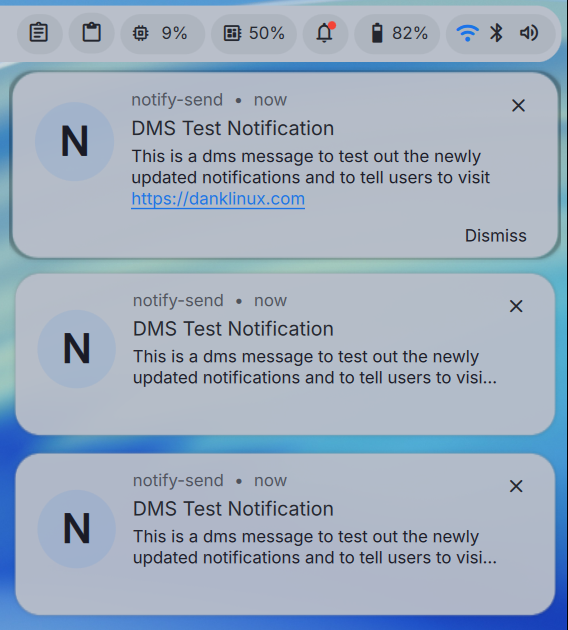
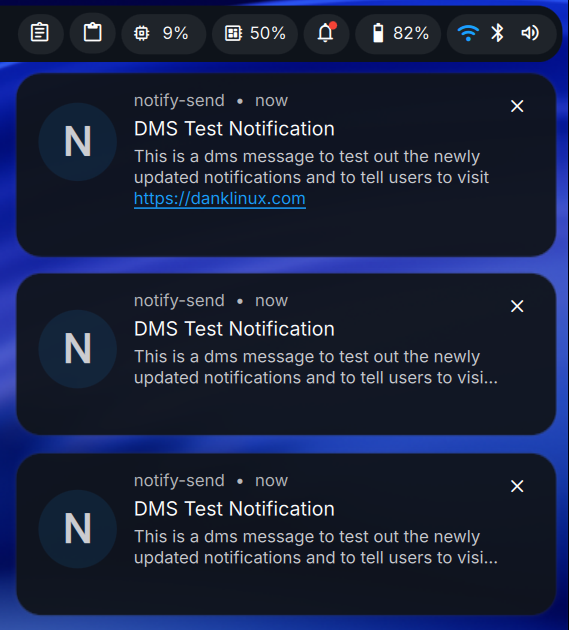
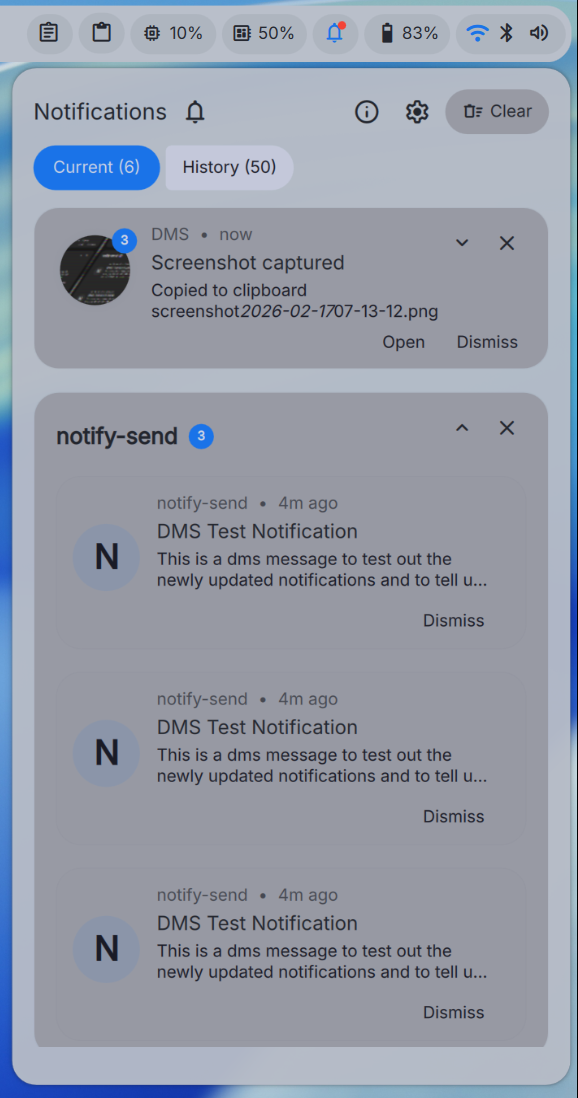
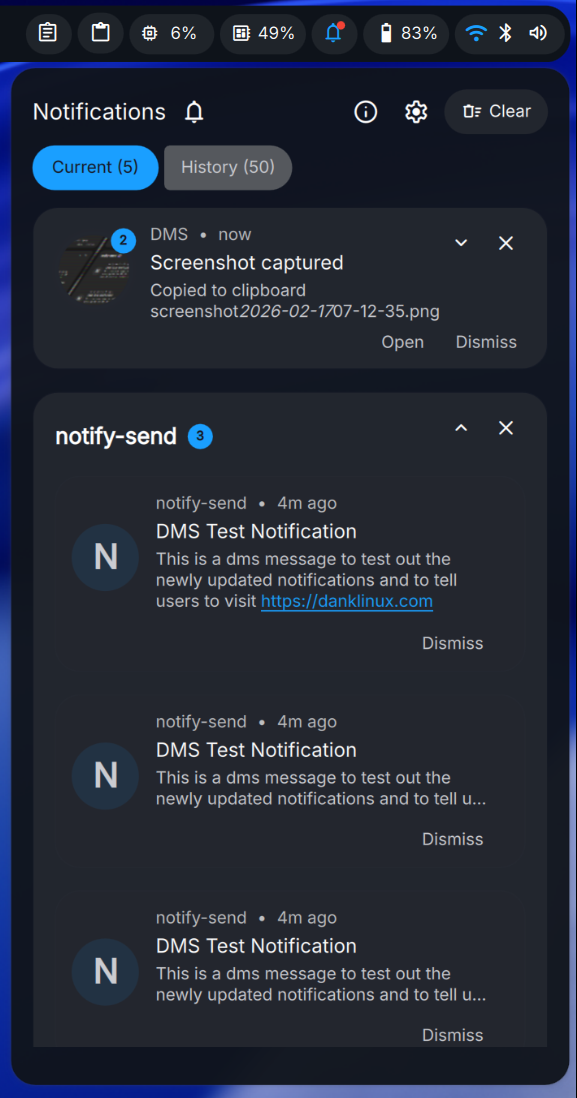
Notifications got a visual overhaul based on Material 3 Expressive — new shadows, motion, and overall feel. The notification center and toasts both look and behave better.
What's new:
- Independent animation speed: Notification animations are now separate from global UI motion, so you can make them snappier or slower without touching everything else.
- Privacy mode: Hide message content by default (shows sender and app only), click to reveal. Useful if you share your screen or just want less distraction.
- Right-click actions: Right-click any notification to Mute the source, Create a rule, or Dismiss. Works on both toasts and in the Notification Center.
More updates to come!
Miracle WM Support

Miracle WM is now a supported compositor.
DMS 1.4 brings full support for Miracle WM, including keybind cheatsheets, idle monitor integration, workspace switcher, and the rest of the core DMS feature.
This is ahead of the upcoming Fedora 44 release which will include a Dank Miracle spin, so Miracle WM users on Fedora will have DMS available out of the box.
Available Distributions





DMS is available for Arch Linux, Fedora, openSUSE, Debian, Ubuntu, CentOS, NixOS, Gentoo, and more. Gentoo users have three community overlays to choose from: quilat-overlay (live ebuild tracking git master, OpenRC + systemd), tdgentoo (versioned ebuild pinned to stable releases), and dacyberduck (dank-base/dankmaterialshell).
See the installation guide for setup instructions.
Bug Fixes and Improvements
|- View Details (200+ commits) -|
Since the v1.2 release, DMS has received extensive bug fixes and stability improvements across all components:
Launcher V2
- New aggregated "all" tab with plugin/extension results, quick tab actions, and tile mode
- Improve search result responsiveness with highlighted matches
- General performance optimizations including ListView in all tab, filesystem cache for faster first launch
- De-duplicate cached entries by ID
- Support async launcher plugins, cached GIFs, and paste-on-action
- Allow categories in plugins, plugin sort order preference
- Allow disabling each plugin from "all" mode, add IPCs for toggling specific modes
- Add visibility guards, micro size option, and view mode persistence
- Context menu and keyboard navigation improvements
- Fix hover effect, state reset on section changes, dGPU race condition, and plugin icon handling
- Support ScreenCopy in tiles and CachingImage in icon renderer
- Add name, icon, description overrides and hide/unhide options for entries
- Retire spotlight launcher in favor of Dank Launcher V2
Notifications
- Refactor notification animations with Material 3 Expressive design
- Add configurable notification rules
- Add left/right keyboard navigation to Current/History tabs
- Cap max animation speed in popout
- Fix crash in modal and keyboard navigation on history tab close
- Update dimensions, text expansion logic, and group expansion card animations
- Handle material icons
- Tweak toast button padding
Dock & Bar
- Intelligent dock auto-hide behavior
- Apps Dock widget for Dank Bar with overflow and configuration options
- Implement Dank Launcher button on the Dock with custom icons/logos
- Pinnable DMS core apps with color options
- Max pinned and running apps with overflow badge count
- Fix intelligent auto-hide on Hyprland
- Resolve icons for pre-substituted app IDs
- Fix option to use custom logos and launcher button persistence
- Fix spacing at scale of running apps, dock, and system tray
- Add click-through option for Dank Bar
- Fix centering of numerous bar widgets
- Fix property preservation in widgets
- Enlarge bar icons if widget background is off
- Account for outlineThickness in margin settings
- Fix widget context focus with autohide enabled
Clipboard
- Save pinned clipboard entries with keyboard navigation
- Add popout variant for clipboard widget
- Add option to paste on Enter
- Add
cl copy --downloadoption for images/videos with portal file transfer - Add
watch -mfor mime-types - Fix row layout overflow, pinned entry logic, hash duplication check
- Fix file transfer and export functionality with Flatpak read grants
- Skip
application/vnd.portal.filetransfermime in history - React to changes, fix duplicate clear dialog
- Touch copied history entry to move it to the top
- Add raw image mime-type to offers in CopyFile
- Fix watch command
- Quick context menu for clipboard widget
Themes & Appearance
- Automatic light and dark mode based on region/time of day with transition time
- Improve handling of custom themes with variants and accents in light/dark mode
- Support matugen v4
- Sync adwaita accent color by visual similarity
- Add Cosmic light/dark and icon theming support
- Allow overriding color center theme
- Fix popup transparency setting and overflow of option button groups
- Fix emacs template for both light and dark themes
- Add dank emacs template
- Fix Zen Browser theme background color in template
- Fix terminals always dark with custom themes
- Post-hook reload GTK4 and qt6ct after matugen changes
- Don't signal terminals when disabled
- Update dank16 algorithm for smoother gradients
- Fix Vesktop theme name
Audio & Media
- Audio device aliases: rename, hide, and amplify devices via WirePlumber
- Media playback OSD with updated design
- Add per-device max volume limit setting
- Configurable volume amount on scroll for media widget
- Add player-specific MPRIS volume control via IPC
- Reverse media playback icons and handle screen changes
- Fix volume OSD sliding UI update for vertical layout
- Track art: use URLs directly
- Cava: use input source pipewire and auto, remove input config
Display & Monitor Configuration
- Support for multiple output profiles with delete/hide disconnected displays
- Add full screen only option for Hyprland, convert VRR to dropdown
- Add disable snap option in display settings
- Fix VRR=0 setting on Hyprland
- Fix dropped disconnected displays on save
- Fix preview centering with scaling
- Update MangoWC display config syntax
Window Rules (niri)
- Settings UI for creating, editing, deleting, and reordering window rules
- IPC to create a window rule for the currently focused toplevel
- Fix checkbox alignment
- Update default Steam window rules
Animations
- Material Animation Refactor based on Material 3 Expressive
- Fine-grained animation settings for modals and popouts
- Revise ListView animations and tweak list view transitions
- Switch to frame animation for kinetic scroll
- Clean up ripple effect and apply more universally
- Optimize VRAM usage in DankRipple
Process List & System Monitor
- Overhaul system monitor popout and app with new design
- Add full keyboard navigation to process list
- Fix clipped graphs
- Fix default popout focus and default sort direction
- Update gauge sizes
- Disable animations until list is stable
- Fix Process List popout crash from AppSearch
Workspace
- Add workspace rename dialog
- Drag-and-drop workspace reordering for niri
- Display niri workspace names
- Fix occupied color override
- Fix overflow with grouped apps and icons
- Fix index numbers with show apps on vertical bar with animation
- Add icon size offset
Settings
- DankCollapsible component
- Optimize sidebar bindings and sidebar scaling improvements
- Settings search index updates
- Fix wallpaper cycle buttons, theme flavor buttons, power and sleep tab button groups
- Make dock position match Dank Bar settings
- Drop beta from configuration label
- Don't clear caches or apply on startup
- Fix modal not opening on latest quickshell
Lock Screen & Greeter
- DMS Greeter sync with niri include settings (cursor, debug, input, options)
- Fix keyboard layout on Hyprland
- Add lock at startup action
- Add disable media player option on lock screen
- Remove random facts from greeter and lock
- Add option to hide profile image
- Fix 12-hour format single digit hours
- Power off monitors when lock screen activates
- Add support for Debian greetd user/group name
- MangoWC and Scroll Greeter support for NixOS
- Restore baseline configs and fix Cosmic support
- Add niri override kdl includes
- Fix greeter directory permissions
Plugins
- Add plugin state helpers and toggle support with lazy daemon instantiation
- Give popout customizable header actions
- Fix reload IPC on failure
- Ensure daemon plugins not instantiated twice
- Represent featured plugins in built-in browsers
- Fix first plugin install reactivity and confirm third-party repo window
niri
- Expose when-locked, inhibited, repeat options through GUI keybind editor
- Support any screenshot editor tool
- Add ensure colors.kdl existence
- Restore lazy overview spotlight lifecycle to reduce idle VRAM
- Replace github ref
- Add screencast indicator
Network & VPN
- Add support for GlobalProtect VPN using SAML auth flow
- Simplify connection handling
- Fix VPN popout and widget tooltip positions
- Uncheck "save password" by default
Wallpaper
- Support more image formats with case insensitivity
- Only pause cycling when screen is locked or active window is fullscreen
- Fix per-monitor view modes
Keybinds
- Don't pass dirs in keybinds
- Fix MangoWC config traversal in provider
Widgets
- Add button color setting and theme text field selection color
- Cleanup rectangles across popouts, modals, OSDs
- Remove double rectangle artifact in popouts
- Fix cross-monitor handling of widgets
- Notepad widget with quick context menu, cursor color, and QOL updates
- Refresh layout on plugin load
- Add fallback for Steam app widgets
i18n
- General RTL fixes across settings, about tab, and Dank Bar
- Capture missing strings and wrap in I18n.tr()
- Multiple term updates and sync
Core & Backend
- Add generic DBus service with QML client (subscribe/introspect/getprop/setprop/call)
- DMS Chroma syntax highlighter for Notepad
- Set Qt platform to wayland;xcb by default
- Add DL helper and gsettingsOrDconf helpers
- Add screensaver introspect XML methods
- Replace go-localereader directive
- Add IPC handlers for color picker modal and tray icon control
- Add toast IPCs
- Fix DMS chroma hang on print
- More intelligent Xresources editing for cursor
- Doctor: add cups-pk-helper, MangoWC, labwc; use DBus for service checks; add --copy option
- Polkit: allow empty passwords
- System tray: allow re-ordering items, use id+title as identifier
Compositor Support
- Add Miracle WM support
- labwc patch improvements
- MangoWC and Scroll Greeter support
Build & Distribution
- Deprecate cliphist dependencies
- Update NixOS packaging, vendorHash, and home module
- Support specifying systemd target for NixOS
- Add qt-imageformats to DMS QML dependencies for NixOS
- Fix Fedora version format and dynamic versioning
- Update OBS workflows and Makefile
- Support XeroLinux via dankinstall
- Update Go version and golangci-lint in CI
Resources
Get Started with DMS →
 Special thanks to YaLTeR for collaborating with the DMS team, for niri - the compositor that inspired DMS, and for hosting DMS on the niri Discord.
Thank You
To everyone who has supported DMS through feedback, contributions, sponsorships, donations, and packaging.
Zan, Zendegi, Azadi