Welcome
██████╗  █████╗ ███╗   ██╗██╗  ██╗    ██╗     ██╗███╗   ██╗██╗   ██╗██╗  ██╗
██╔══██╗██╔══██╗████╗  ██║██║ ██╔╝    ██║     ██║████╗  ██║██║   ██║╚██╗██╔╝
██║  ██║███████║██╔██╗ ██║█████╔╝     ██║     ██║██╔██╗ ██║██║   ██║ ╚███╔╝
██║  ██║██╔══██║██║╚██╗██║██╔═██╗     ██║     ██║██║╚██╗██║██║   ██║ ██╔██╗
██████╔╝██║  ██║██║ ╚████║██║  ██╗    ███████╗██║██║ ╚████║╚██████╔╝██╔╝ ██╗
╚═════╝ ╚═╝  ╚═╝╚═╝  ╚═══╝╚═╝  ╚═╝    ╚══════╝╚═╝╚═╝  ╚═══╝ ╚═════╝ ╚═╝  ╚═╝
Quick Start
This will set up Dank Linux on your system, including all dependencies, the DankMaterialShell™, and default compositor and terminal configurations.
curl -fsSL https://install.danklinux.com | sh
Supports Arch Linux + Derivatives, Fedora + Derivatives, Ubuntu, Debian, openSUSE, and Gentoo.
The installer adds the appropriate repository (COPR, OBS, or PPA) or installs from official repos and installs packages through your distro's package manager. Future updates come through normal system updates. If you install DMS directly from packages, run dms setup to generate starter compositor and terminal configs (niri/Hyprland only). Other compositors like sway, MangoWC, labwc, and Miracle WM are supported—see manual configuration.
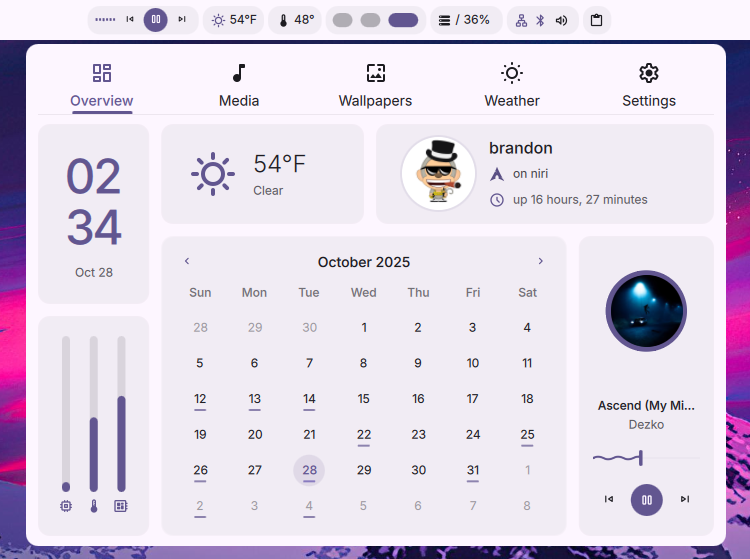
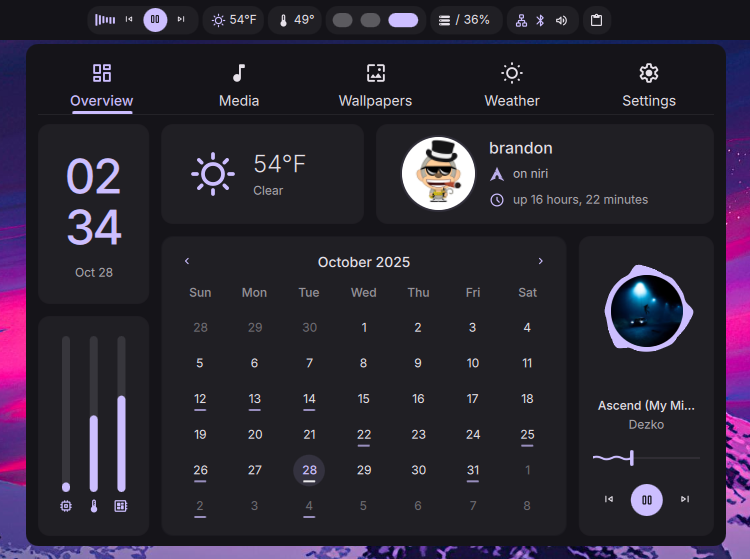
The Suite
- DankMaterialShell - A feature-rich desktop shell built with Quickshell and Go.
- dgop - A stateless, cursor-based system and process monitoring tool with a tui, cli, and REST API.
- dsearch - Extremely fast, configurable, zero-dependency indexed filesystem search service.
- dankinstall - An automated installer and management tool for the entire Dank Linux suite
- dcal - A standalone calendar app that unifies Local, Google, Microsoft, CalDAV, and iCloud calendars.
Batteries Included
The age of assembling your desktop from dozens of separate tools and spending hours trying to make it feel cohesive is over. While traditional Wayland setups require you to hunt down, configure, and maintain a sprawling collection of utilities, Dank Linux delivers everything in one cohesive package with minimal dependencies.
The Traditional Way: Package Hunting Simulator
A typical Hyprland, niri, Sway, MangoWC, dwl, labwc, Miracle WM, or generic Wayland setup forces you to learn about and configure a dozen or more separate tools, such as:
- Status Bar: waybar, eww, or custom scripts
- Notifications: mako, swaync, or dunst
- App Launcher: rofi, wofi, fuzzel, or tofi
- Screen Locking: swaylock, hyprlock, or gtklock
- Idle Management: swayidle, hypridle
- System Tools: htop, btop, nm-applet, blueman, pavucontrol
- Audio Control: pavucontrol, pamixer scripts
- Brightness Control: brightnessctl with custom bindings
- Clipboard Manager: clipman, cliphist, or wl-clipboard scripts
- Wallpaper Management: swaybg, swww, hyprpaper, or wpaperd
- Theming: manually configuring gtk, qt, various apps, bars, compositor gaps and colors
- Power Management: custom scripts or additional daemons
- Greeter: gdm, sddm, lightdm, greetd
Each tool has its own configuration format, its own quirks, and its own dependencies. You'll spend hours writing glue scripts, debugging integration issues, and discovering missing functionality at the worst possible moments.
With preconfigured "dotfiles"
Preconfigured "dotfiles" are often shared so others can replicate a working setup, but they come with their own challenges:
- Intrusive Configurations: They often change a lot of various configuration files on your system, making it hard to track and revert changes.
- DMS does not modify any user configurations nor require it, everything is self-contained.
- Compatibility: Your system may differ in subtle ways that break the setup.
- Complexity: Understanding and adapting someone else's configuration can be daunting.
- Preferences: They may not align with your personal preferences or workflow needs.
Note: The community does an incredible job at sharing incredibly unique setups, and we highly encourage exploring those! They can provide incredibly unique things that dms cannot, but they are just often very opinionated and touch a lot of system configurations - while dms doesn't.
The Dank Way: Completely Integrated
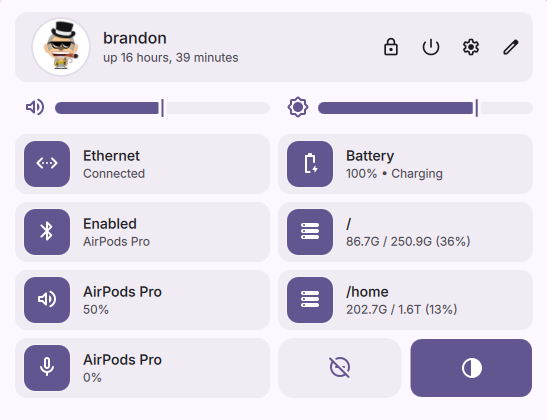

Dank Linux replaces this fragmented ecosystem with DankMaterialShell - a single, integrated solution built with Quickshell and Go:
- ✅ Full Desktop Shell - Complete panels, widgets, and system integrations
- ✅ Unified Configuration - One consistent approach, not 15 different syntaxes
- ✅ Intelligent Search -
danksearchfor blazingly-fast file indexing & search - ✅ System Monitoring -
dgopprovides comprehensive system insights without additional tools, persistent daemons, or long-running samplers preventing CPU sleep states. - ✅ Dynamic Theming - Automatic color generation with
matugen, applied everywhere - ✅ All Essentials Included - Notifications, app launcher, system tray, media controls, and more
- ✅ Comprehensive Plugin System - Comprehensive plugin system allows limitless possibilities for new widgets and launcher functions.
- ✅ Smart Defaults - Works beautifully out of the box, customizable when you want it
No more late-night debugging sessions because you forgot to install a clipboard manager. No more manually syncing color schemes across a dozen config files.
One install. One shell. Everything works.
That's Dank Linux - we've already done the integration work so you can focus on using your desktop, not building it.
Pre-configured Images
Want even less setup? Some distributions ship with DankMaterialShell pre-configured:
 Zirconium - A Fedora-based immutable OS with niri + DMS, optimized for container-focused development
Beautiful by Default
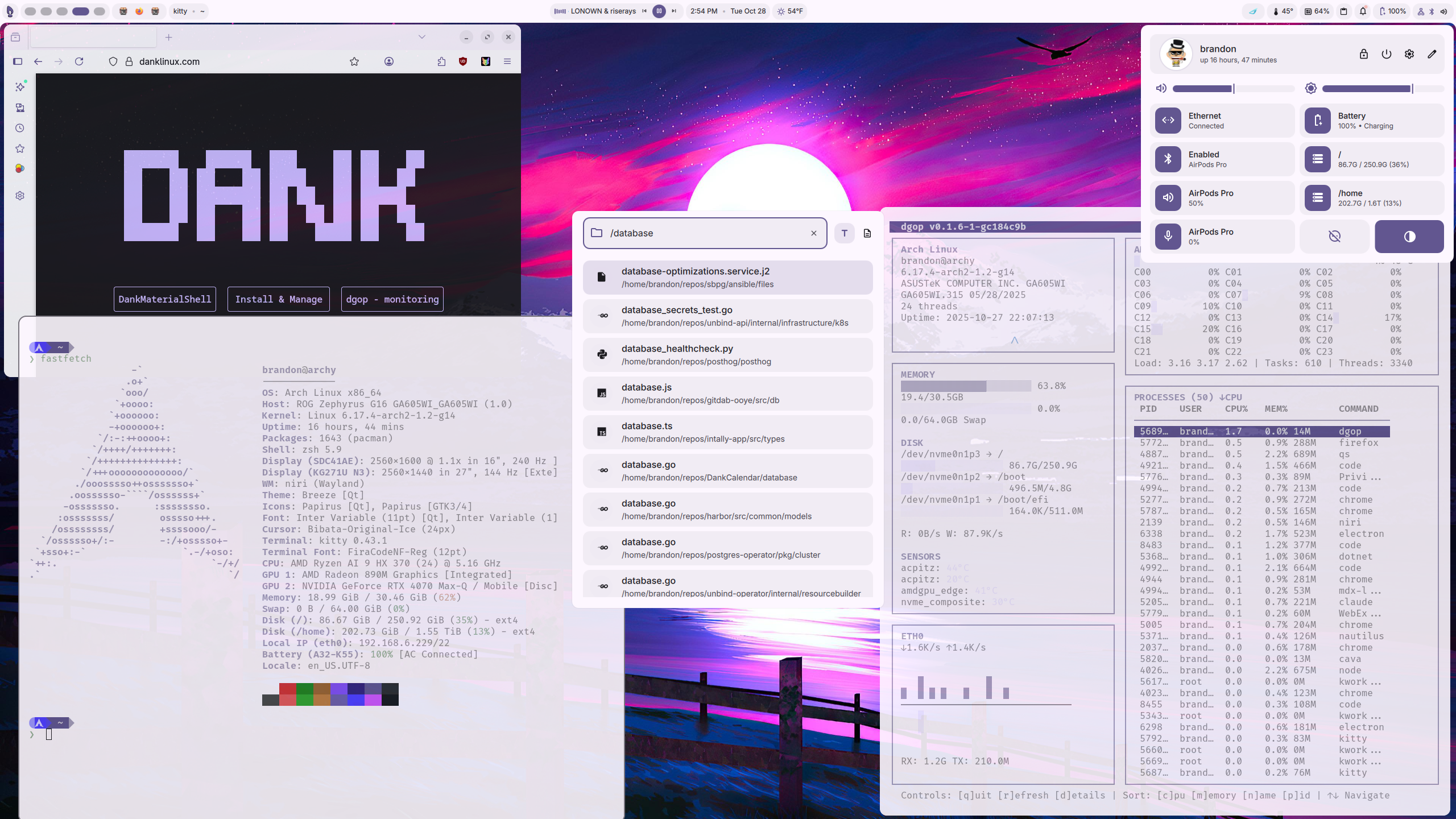
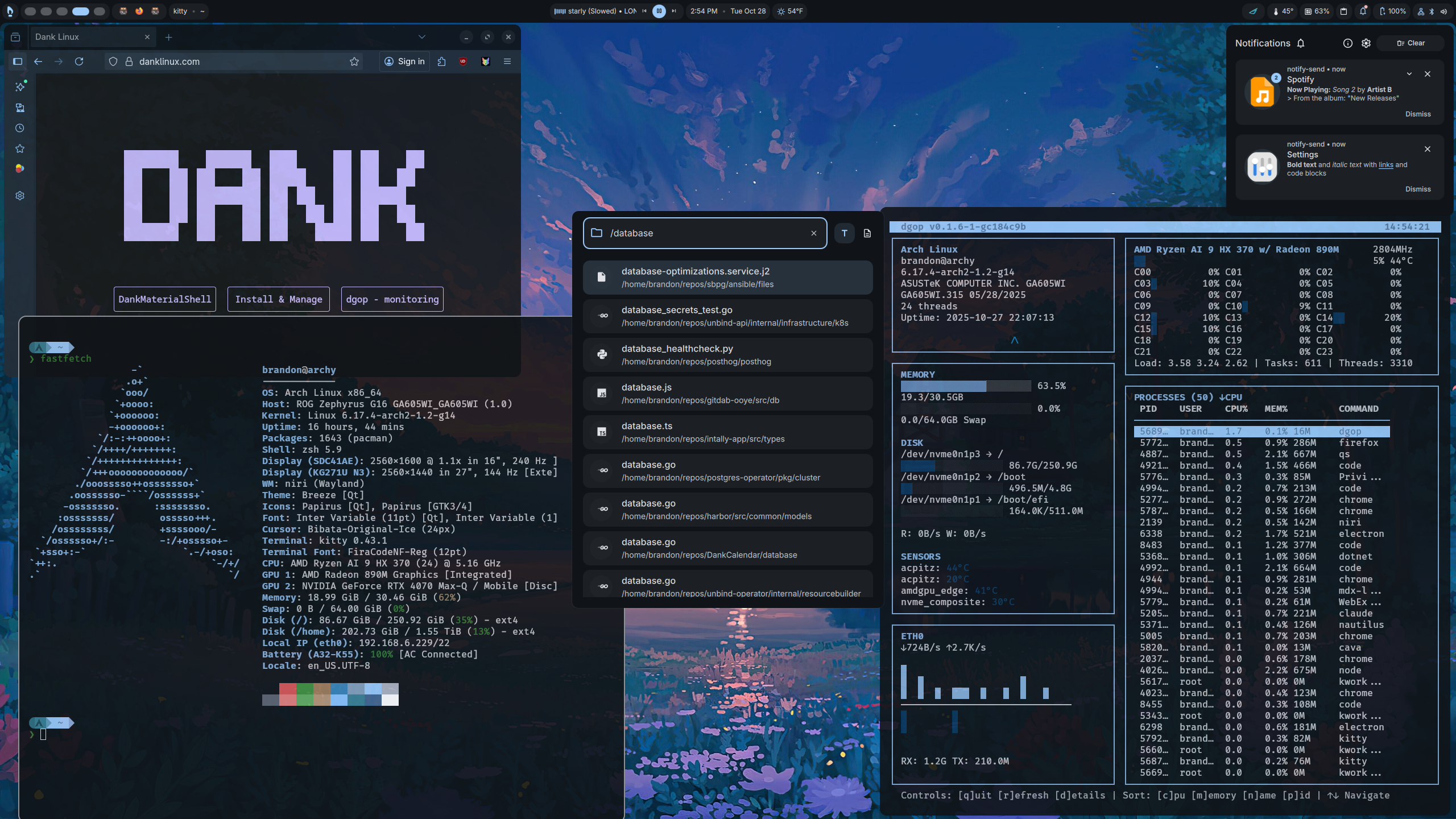
DankMaterialShell provides a stunning desktop experience right out of the box:
- Dozens of Customizable Widgets: Extendable launcher, workspace switcher, media player, clock, weather, system tray, notifications, lock screen, greeter, network integration, bluetooth integration, and more.
- Dynamic Theming: Automatic color schemes applied across the desktop.
- Smooth Animations: Polished transitions and effects throughout the desktop
- Material Design: Modern, clean aesthetics inspired by Material Design 3
Innovating Solutions
Dank Linux is engineering solutions to problems that have never been solved before in the Linux space.
dgop - first-of-its-kind Stateless System & Process Status Tool
Before dgop, if you wanted to measure CPU usage - for example, you either had to:
- Collect samples over a substantial time period, say 1-5 seconds, and then calculate the difference between the samples to get an average CPU usage over that time, or:
- Use a persistent daemon that continuously samples and stores system metrics on-disk or in-memory, which can consume resources and complicate system design.
Both approaches have significant drawbacks, including delayed responsiveness, increased resource consumption, and added complexity.
With dgop, this problem is solved using a novel, cursor-based sampling technique:
- Request CPU percentage, receive baseline values with a
cursor - Request CPU percentage again, whenever you want, passing the previous
cursorand you will receive the CPU, process, and system metrics calculated over the exact time since the last request - instantaneously.
This approach is also used for other time-based metrics, such as disk thoroughput and network usage.
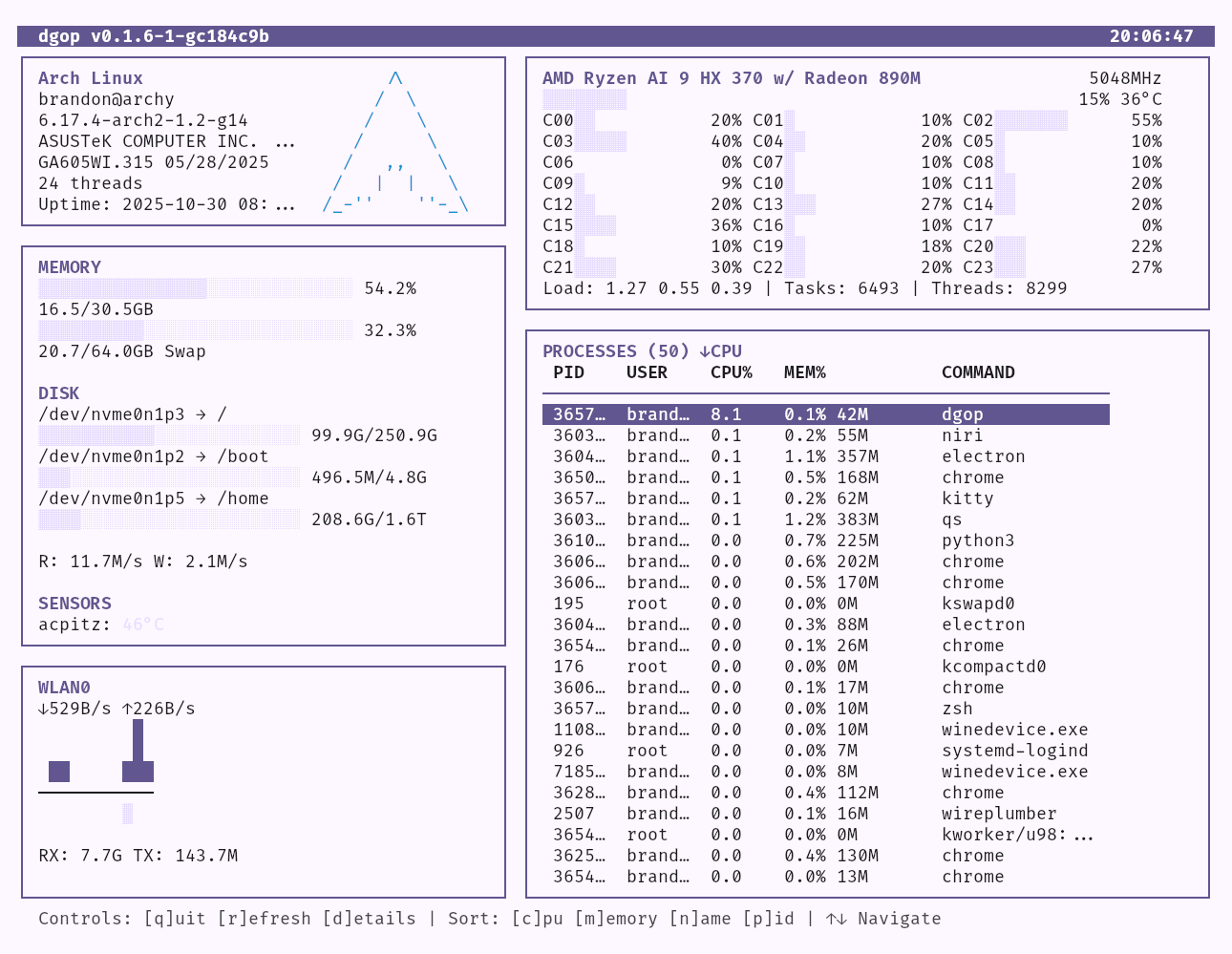
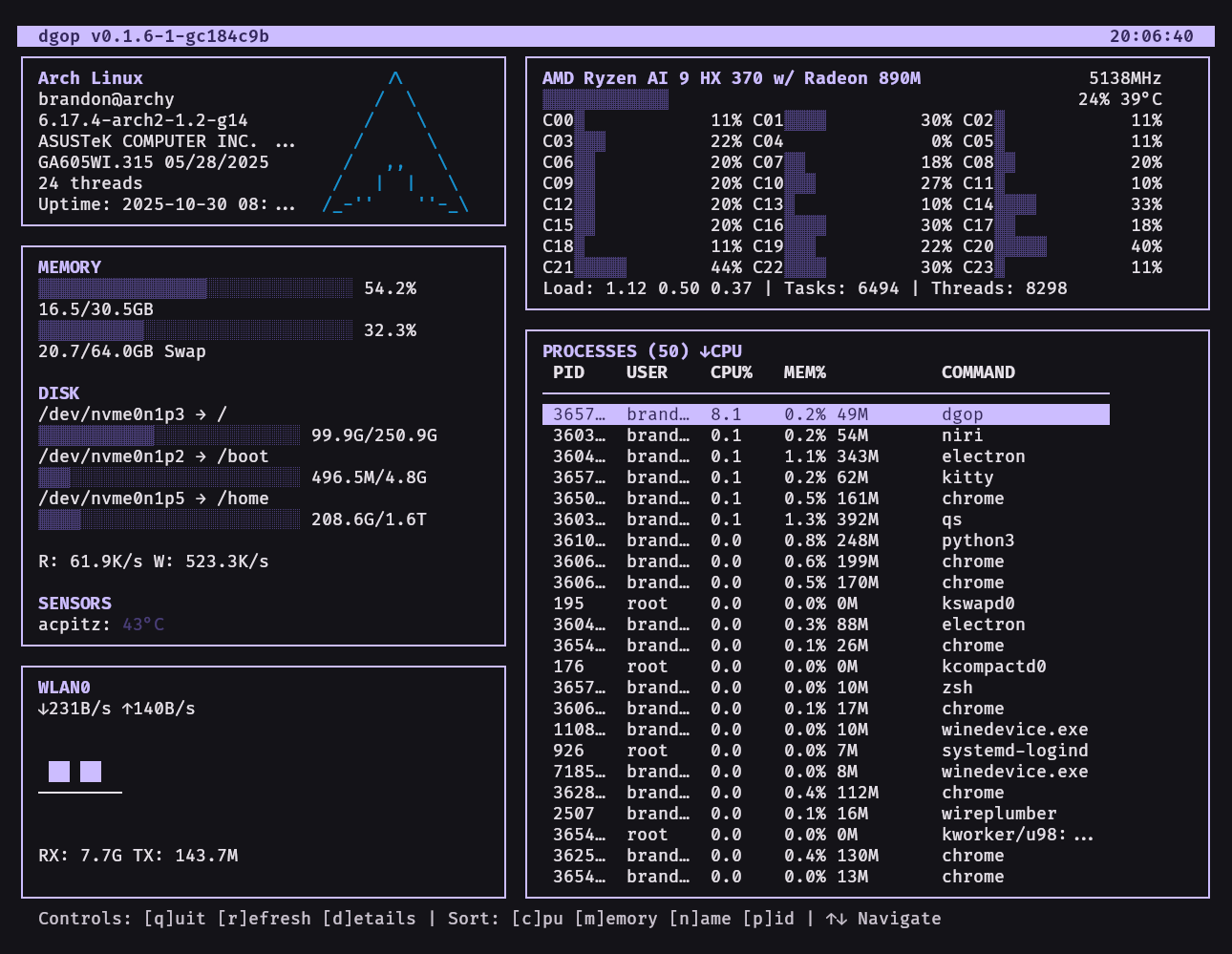
dgop also provides a top-like TUI, advanced CLI, and a fully-documented OpenAPI 3.1 REST API for programmatic access - with "meta" commands that allow you to mix and match any type of metrics you want.
danksearch - Blazingly Fast Filesystem Search
Traditional filesystem search tools usually come as part of the KDE or GNOME desktop environments. They require many dependencies, are hard to configure, difficult to search in a programmatic way, and often users opt to just disable them.
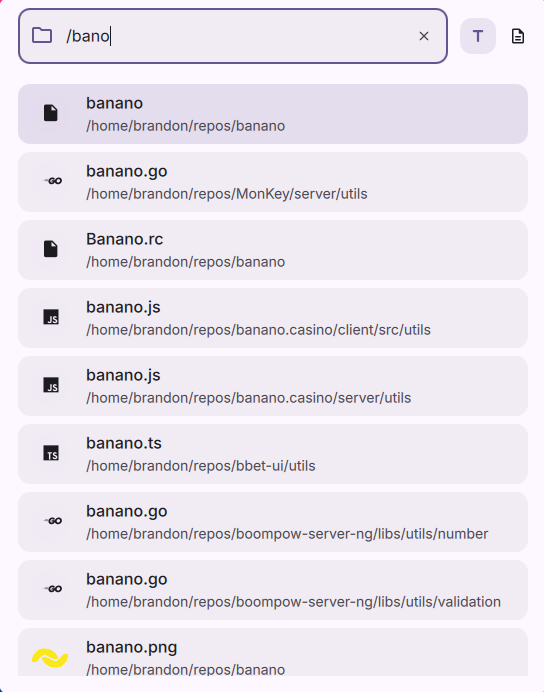
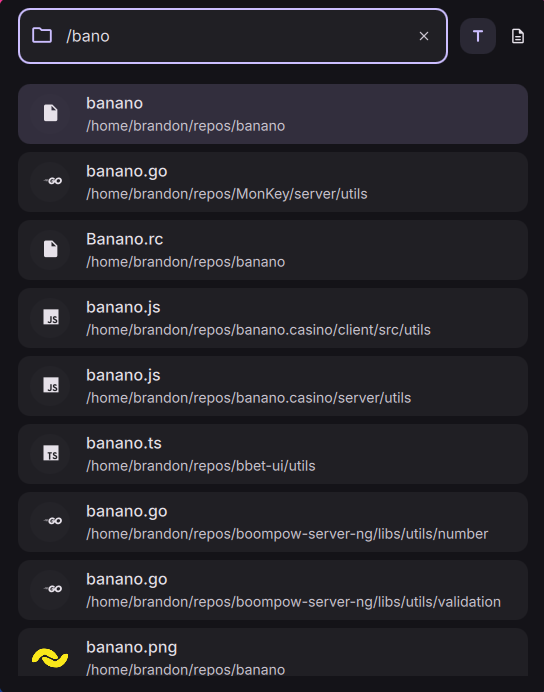
DankSearch is a zero-dependency, blazingly-fast, fully configurable in 1 file, indexed filesystem search service that works as a standalone tool.
- Zero Dependencies: Written in Go, runs anywhere
- Configurable: One simple configuration file, populated with sensible defaults.
- Fast Indexing: Index tens of thousands of files in minutes.
- Index Synching: Automatically keeps the index up to date with filesystem changes.
- Advanced Search: Full text search, regex, fuzzy matching, extension filters, metadata searching, etc.
- Programmatic Access: Provides a fully documented OpenAPI 3.1 spec REST API for easy integration with other tools and scripts, as well as a CLI for direct use.
dankcalendar - All Your Calendars in One Place
Calendars on Linux usually mean wrestling with vdirsyncer and khal config files just to see your Google or iCloud events. DankCalendar replaces that with a single standalone app.
dcal brings Local, Google, Microsoft, CalDAV, and iCloud calendars together in one unified agenda. It runs as a lightweight daemon with a tray icon, keeps everything synced in the background, and fires native reminders for upcoming events — all with the look and feel of DankMaterialShell.
- Unified Agenda: Every account and calendar in one view.
- Background Sync: A lightweight daemon keeps accounts synced and serves the UI over IPC.
- Secure: OAuth tokens and secrets live in your system keyring, not in plaintext config files.
- Scriptable: A full IPC surface for keybinds and automation.
Open Source
Dank Linux and all its components are open source and MIT-licensed.
Source code:
- DankMaterialShell/dms
- DankMaterialShell/dms backend (core) + dankinstall
- dms first-party plugins
- dgop GitHub
- danksearch GitHub
- dankcalendar GitHub
Get Started
Ready to dive in? Head over to the Getting Started guide to begin your Dank Linux journey!
Join the Community
- GitHub: github.com/AvengeMedia
- Discord:
DankMaterialShellhas a subsection on the niri discord server, keep relevant discussions in the relevant#dms-*channels. - Documentation: You're already here!
- Support Development: Ko-fi - Tip us if you'd like to support the project!